6. Internet Explorer 9

Time to load all 10 pages: 14 seconds
CPU Usage: Mostly between 0% and 10%, peaked at 60% during Flash animation.
Loaded Processes: 6
Memory Usage: 280MB

Download Internet Explorer 9 (Vista and 7 only)
7. Maxthon 3.4.5
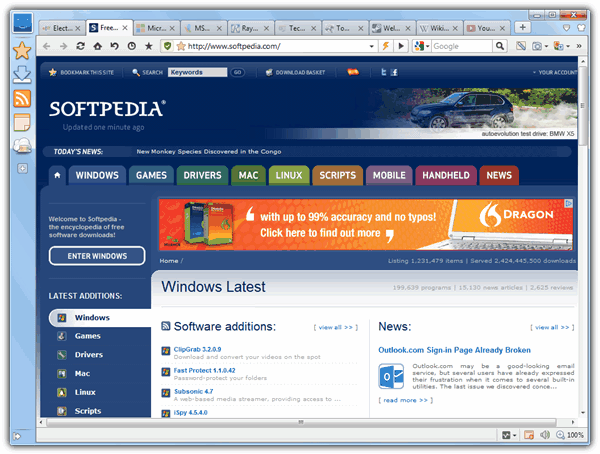
Time to load all 10 pages: 17 seconds
CPU Usage: Mostly between 0% and 10%, peaked at 54% during Flash animation.
Memory Usage: 303MB
Loaded Processes: 4

8. Mozilla Firefox 15.01

Time to load all 10 pages: 12 seconds
CPU Usage: Mostly between 0% and 10%, peaked at 61% during Flash animation.
Loaded Processes: 2
Memory Usage: 266MB

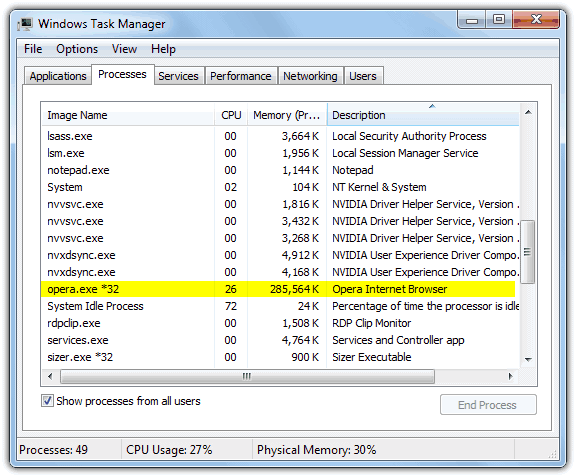
9. Opera 12.02

Time to load all 10 pages: 10 seconds
CPU Usage: Mostly between 0% and 7%, peaked at 30% during Flash animation.
Memory Usage: 279MB
Loaded Processes: 1
10. Pale Moon 15.1

Time to load all 10 pages: 12 seconds
CPU Usage: Mostly between 3% and 10%, peaked at 81% during Flash animation.
Memory Usage: 288MB
Loaded Processes: 2

On testing, the 64-bit version peaked at 71% CPU and used 351MB of memory.
Results Summary
To summarize the results from all the browser’s RAM and CPU usage, here’s a simple table showing the scores. Green is obviously the best and pink is the worst for each category. Do note the “Peak CPU usage” is AFTER the pages have fully loaded and not while loading, all browsers hit 100% during that time.

The good points:
- Predictably Opera was the fastest to load and stayed low on CPU usage when viewing Flash rich pages, although the problems it still has viewing some webpages properly might put people off.
- A resource friendly surprise was GreenBrowser as it loaded fast, was low on memory and kept CPU usage to a minimum. The interface is not the best, but compatibility should be good as it uses the Internet Explorer Trident rendering engine.
- Firefox has improved a lot recently in resource usage, but few people run it without plug-ins so the memory usage and load time will likely increase when several are added.
The not so good points:
- Avant’s nice idea of 3 different switchable browser engines in the same browser sounds like a good idea, but needs a lot more work to make it fully optimized and really worth using.
- It’s not clear if Apple have discontinued Safari, but with it’s high memory usage in this test and terrible load time of the 10 test pages, I’m not sure why anyone would want to use it.
- High memory and CPU usage playing Flash meant Chrome surprisingly wasn’t great either, which is probably why they’re concentrating on these areas in future versions.
What the test does show is that overall it’s not a good idea to leave a webpage open on your machine with something like a Flash animation running for long periods of time, especially a laptop or netbook. As expected, CPU usage goes up greatly with any kind of Flash on the page, some browsers hitting 80% on a single processor core.
As many of the browsers use plug-ins or extensions to enhance them even further, this would affect all these scores greatly. For example, a Flash blocking tool would increase the browser’s used memory slightly, but load times and CPU usage would be reduced.