VPN monitoring tools ensure optimal service delivery to the users connected via the VPN tunnels. With VPNs, users can access data across the public network; that’s why they are deemed crucial in today’s remote working environment.
An organization must adopt VPN monitoring tools to ensure peak performance and identify VPN-related issues before they become more severe. For this reason, we are discussing the best 5 VPN monitoring tools to help you ensure optimal service delivery in a remote setup.
Best VPN monitoring software
| Software | Best for | Top Features |
| PRTG VPN monitoring | Secure data transfer in a virtual private network. | Monitor VPN connection.
Identify suspicious traffic. Measure traffic and the number of users. Send automatic alerts. |
| Site 24×7 | Tracking the health and availability of firewalls and other VPN devices | Network fault management.
Support for 450+ vendors. Router monitoring. iOS and Android mobile apps. Root cause analysis for downtime with Screenshot, Traceroute. |
| ManageEngine OpManager | In-depth analysis of VPN tunnels and related entities. | Prevents unauthorized network access.
Custom dashboards. Monitor business-critical VPN metrics. VPN-specific reports. VPN traffic monitoring. Block hostile IPs. |
| VIAVI Solutions | Additional operational visibility. | Enriched-flow capability.
Ensure network security. Optimize VPN performance. Collect enriched-flow data from VPN concentrators. Optimization of VPN connection configuration. |
| NETSCOUT | Ensuring remote user productivity. | Maximize VPN remote access.
Protect VPN availability. Assure application and network performance. Equipped with a DDoS protection solution. Smart edge visibility into AWS cloud. |
1. PRTG – top-rated VPN monitoring tool for the hybrid work environment
License: proprietary license software
Supported vendors and applications: Dell, IBM, HP, ORACLE, APACHE, vmware, AWS, and Cisco.
Hosting: on-premise and cloud-based.
Supported OS: Windows, Mac, Linux, iOS, Android, and iPad.
Developer: Paessler AG.
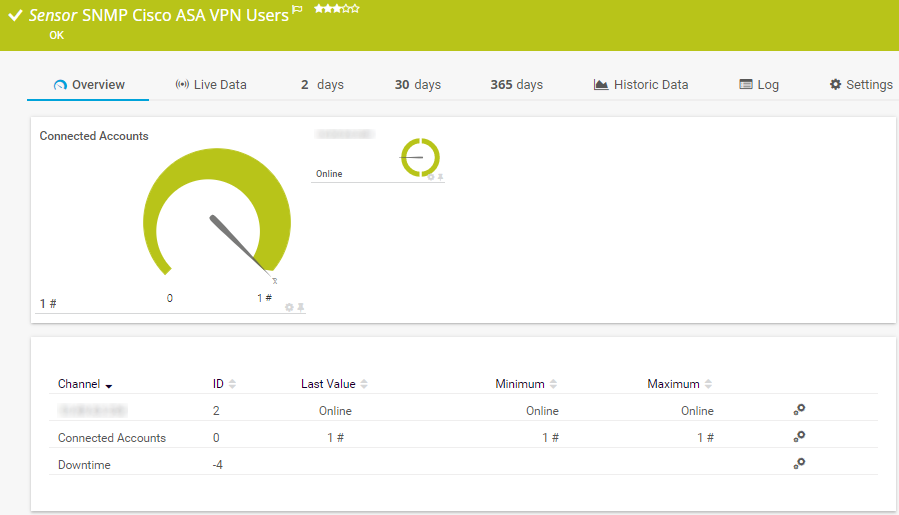
With the advent of a VPN, employees working remotely can securely access company resources. Branch offices and mobile workers can seamlessly connect with the clients. Encrypted transportation of company data requires connection and network stability. PRTG can fulfill all these enterprise requirements.
On top of that, PRTG collects information about the VPN connection, such as which users used the VPN to connect to the company’s public network, the type of connection, and the volume of data transferred over a certain period. As a result, PRTG records connection problems and sends alerts to administrators in case of failed connection attempts.
Pros
- Continuous monitoring prevents intruders from exploiting security loopholes.
- Enable users to identify the root cause of problems quickly.
- Proactive troubleshooting streamlines the flow of traffic between VPN partners and company traffic.
- Easy to deploy and use.
- Gather data related to incoming and outgoing network traffic, the type and speed of data packets, connection errors, and connection types.
Cons
- Since the tool is specifically designed for the Windows operating system, it doesn’t work perfectly on the Linux OS.
2. Site24x7 – best for protecting the private network from intruders
Supported platforms: Windows, Mac, Linux, Android, and iOS.
Developer: Zoho Group.
License: free, commercial license.
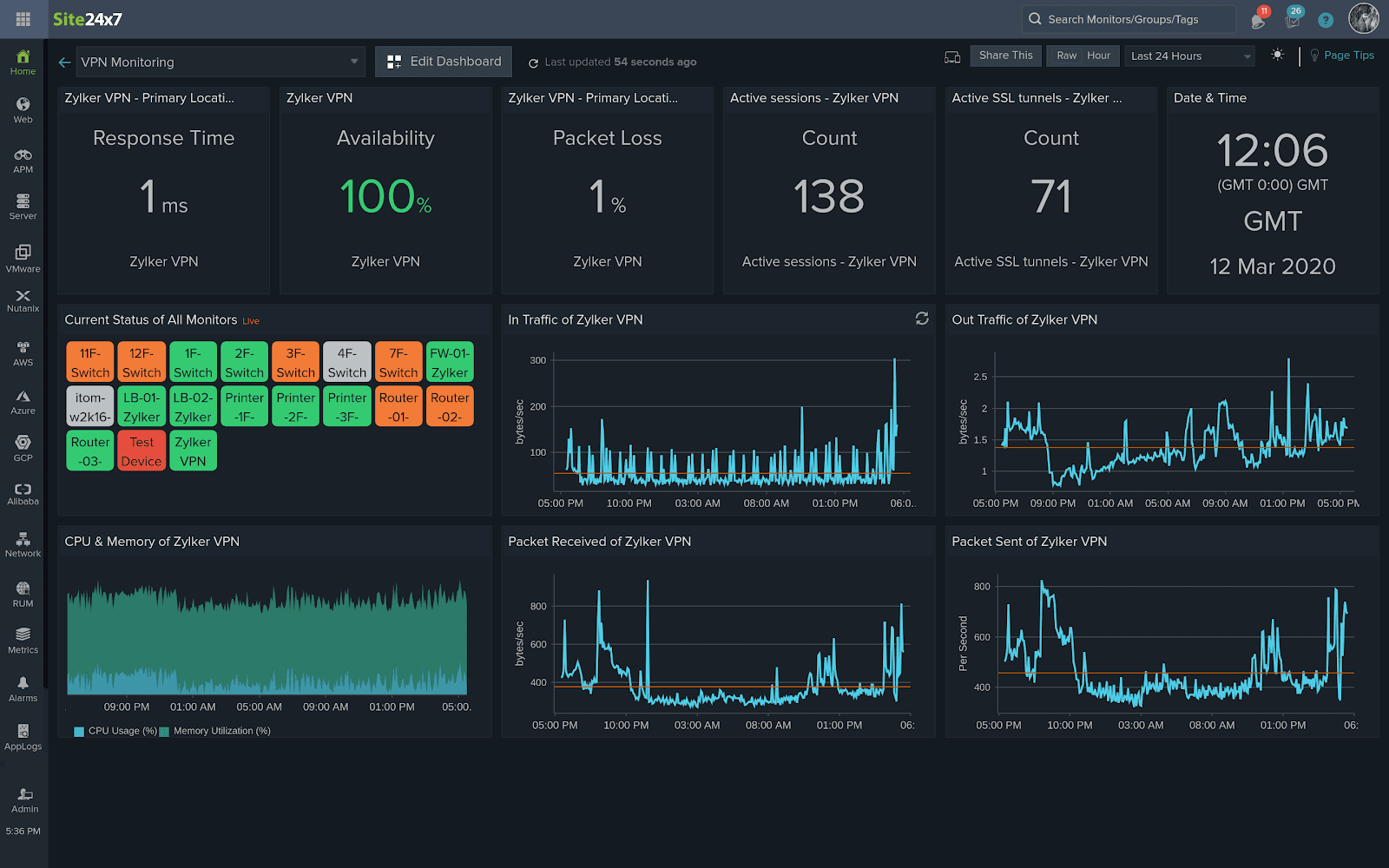
Site24x7 flawlessly monitors VPN using its connections and tunnels using critical performance metrics like latency. As a result, users can enjoy a secure remote working experience. To unlock this SNMP VPN monitoring tool’s full potential, ensure that VPN devices and firewalls work optimally.
Sheer relying on the network monitoring tool to avoid congestion and offset potential malware threats is insufficient. However, using performance metrics, we must constantly monitor VPN and its associated devices. Here is a list of a few metrics that Site24x7 tracks:
- SSL login users: total number of users who have logged in to VPN over SSL.
- VPN sessions count: total number of active sessions.
- VPN bytes received: total number of bytes received over the endpoint.
- Active SSL sessions: total active secure socket layer (SSL) sessions.
Pros
- Site24x7 supports standard security compliances, notably ZyXEL ZyWALL 35 and Cisco ASA 5500 series.
- Monitor the performance of SNMP devices from any vendor.
- Generate personalized records tailored to the business needs daily, weekly, or monthly.
- Analyze VPN usage and critical metrics like peak hour for traffic and average traffic.
- Monitor Amazon VPN and Virtual Private Cloud connections.
Cons
- It requires some time to grasp the product.
- UI is not user-friendly.
3. OpManager – flagship VPN monitor for fast and secure internet connection.
Supported platforms: Windows, Mac, Linux, iOS, Android, and iPad.
Developer: Zoho Corp.
License: Freeware, commercial license.
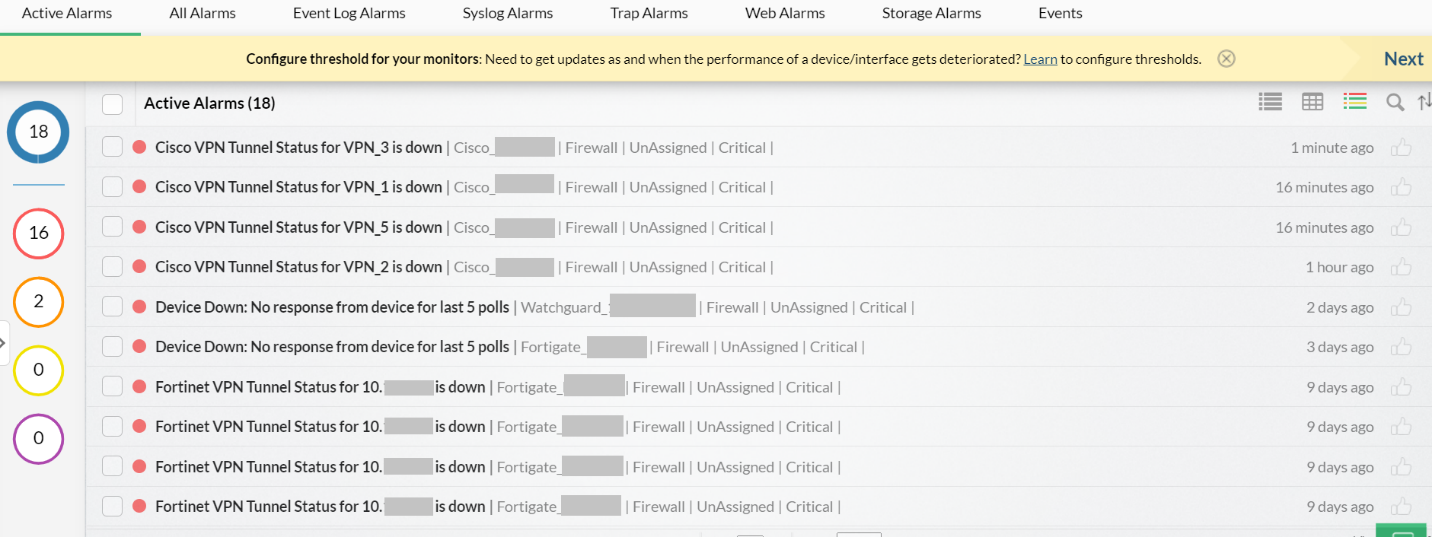
OpManager’s built-in monitoring tools help users monitor VPN tunnels and track the health and performance of all the VPN-connected devices. Moreover, it allows you to monitor data across the VPN tunnels to take preventive measures against any network traffic flow hurdle.
On top of that, OpManager supports site-to-site VPN monitoring so you can monitor private traffic across different branches of your company. Above all, it supports all the leading VPN infrastructure markets, including Cisco, Fortinet, and Watchguard.
Not paying attention to VPN monitoring could have severe repercussions for an organization. Consequently, you’ll end up losing loyal customers because no customer can risk their sensitive data.
Pros
- Offset the potential threat of network vulnerabilities.
- Proactively address impending irregularities.
- Offset the potential threat of suspended connection.
- Capable of monitoring up to 100 tunnels from a single firewall device.
- Monitor the VPN tunnel’s availability and bandwidth.
- Use the most secure and the latest encryption and hashing algorithms for secure communication.
- Immediately alert the users if the total traffic across the VPN tunnel violates the configured threshold.
Cons
- On-premise hosted.
- Users must switch to the enterprise edition for monitoring devices across multiple networks.
4. VIAVI Solutions – A flagship monitoring solution for VPN management
Supported platforms: Windows, Linux, Mac, iOS, Android, and iPad.
License: proprietary license software.
Developer: VIAVI Solutions Inc.
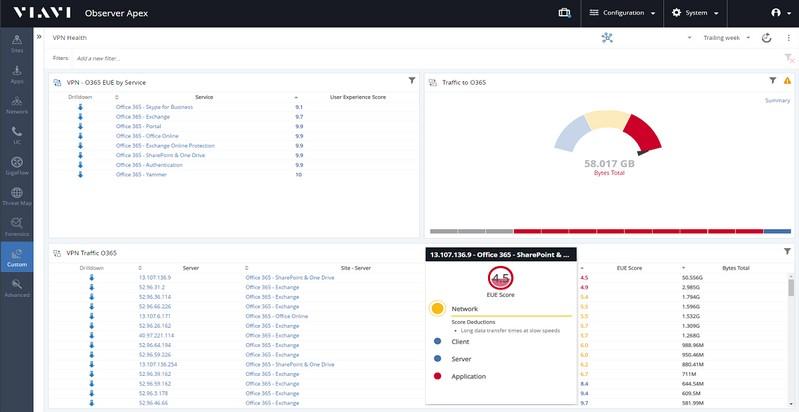
To resolve the VPN performance issues remote workers face daily, every connected device and conversation across the network must be thoroughly monitored. With the VIAVI solutions, the VPN provider can flawlessly monitor user experience through a patented EUE score that uses hundreds of monitoring data points to display one simple metric.
The score informs the network administrators what is causing the problem: a network, server, or application. As a result, the IT team can identify and resolve VPN or any other service-related issue before it becomes severe.
Pros
- Identify the root cause of network delays and performance issues.
- Flawlessly monitor Cisco ASA firewall and SD-WAN controller.
- Enable the IT team to pinpoint compromised accounts that show irregular VPN tunnel usage patterns for remote workers.
- Provides IT team visibility into the performance of devices on the VPN and traffic traversing them.
- Enable IT teams to monitor and ensure the performance of VPN service in real-time.
Cons
- Output graphs are difficult to interpret specifically for naïve users.
- Sometimes dashboard takes 1 to 2 minutes to display.
5. NETSCOUT – guardians of the connected world
Supported platforms: Windows, Mac, Linux, iOS, Android, and iPad.
License: proprietary paid software.
Industry: education, financial services, insurance, pharmaceutical, manufacturing, transportation, retail, and utilities.
Developer: NETSCOUT.
With the increased adoption of work-from-home culture, creating an enabling and secure working environment for these workers is the biggest challenge for IT administrators.
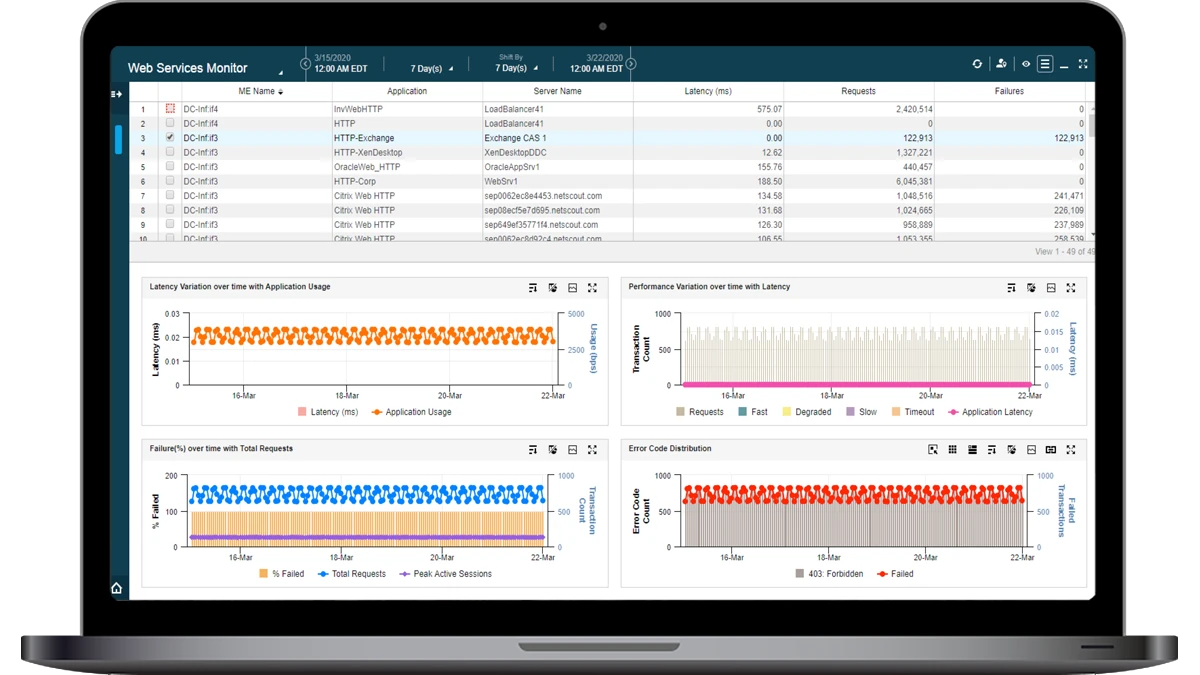
On top of that, while working remotely, employees expect the same quality of service regardless of where they are located while connecting to the corporate network. This is where NETSCOUT comes into the picture. It offers solutions to monitor and troubleshoot issues affecting employees working from remote corporate offices and branches.
Pros
- Ensure that the company employees get uninterrupted access to the VPN.
- Ability to visualize performance through VPNs and internet connections.
- Achieve user experience goals with visibility into the user experience.
- Visibility from the NETSCOUT enables users to maintain the performance and availability of this crucial network.
- Equipped with Service Assurance solution and Arbor Edge Defense to help IT and security team identify the problem’s root cause.
Cons
- No trial version
- Every new release comes with a few bugs and a technical team, so considerable time is wasted on fixing them.
Final thoughts
To effectively monitor and resolve VPN performance issues every remote worker experiences daily, embracing VPN monitoring tools is crucial. Furthermore, all the devices and conversations across the network must be strictly monitored. Most importantly, VPN traffic is imperative for ensuring an organization’s safety and privacy.