Category: Computer

  • Video Frame Editor: Best Online Tools & Apps for 2023

    If you work with a lot of videos, creating the right frame and sequence can make the difference between a basic and an excellent shoot. As such, the right video frame editor can help you add effects to frames and edit video footage with impeccable precision. 

    Regardless of your editing skills, you may have wondered what the best video frame editing tools are. With so many options available on the market, we’ve compiled a list of the top video frame editors to make your search easier. Let’s dive right in.

    Best frame-by-frame video editors

    The following list of frame-by-frame video editors includes computer software, mobile apps, and web-based tools. Read on to find out what their top features, pros, and cons are. 

        Best for Top features
    1.  Adobe Premiere Pro Advanced frame-by-frame editing  Footage color
    Auto-correction
    Create multi-camera video 
    Advanced and quick editing aids
    2. 
    Movavi Video Editor Plus 
    Advanced frame editing features and visual effects  Activity dashboard, animations, and transitions
    Image library and editing
    Data import and export
    3. MiniTool MovieMaker Advanced frame editing  Split, merge, stabilize and adjust speeds
    HD resolution support
    Brand overlay and collaboration tools
    4. Wondershare Filmora  Converting raw footage into expertly crafted videos Transition templates available
    Drag and drop features
    Trim and split tools
    5..  AceMovi  Cool and modern transition effects  Screen recorder and clip transitions
    Split, merge, stabilize, and adjust speeds
    Chroma key and green screens
    6.  iMovie  Basic frame editing and trimming  Animation and templates
    Video creation and editing tools
    Drag and drop capability
    7.  VideoProc Vlogger Beginner and advanced users Cut and split clips into parts
    Multiple presents and effects
    Edit speed, text, motion, and color
    8.  Final Cut Pro X Editing software for macOS Magnetic timeline
    Move, trim, and reorder clips
    Compound clips to bundle audio and video clips
    9.  VideoProc  Editing and transcoding videos quickly  Adjust video and audio codecs
    Adjust frame rates from 30 to 120 fps
    Compress huge-sized images
    10. FlexClip Basic frame editing and trimming Unlimited stock videos per project
    Save unlimited projects online
    Create videos of up to 30 mins in length

    1. Adobe Premiere Pro – A professional-grade video editor for advanced frame-by-frame editing 

    Photo displays the web home page of Adobe Premier Pro and highlights the key features that makes it an excellent video frame editor
    Adobe Premier Pro Web Homepage

    Adobe Premier Pro, sometimes called Premier Pro, is a professional video editing software that has led the industry since its first development. You can easily use the tool to cut and remap your videos without affecting the quality of your work. 

    Many businesses love Premier Pro because the app allows you to record, edit, and share your videos within the same dashboard. This all-in-one capability makes it the perfect video frame editing tool for all your channels.

    For example, most sports, pets, and kids videos move fast. Because of this, you must make edits frame by frame and add effects to each position. Premier Pro allows you to make quick changes to your videos within precise keyframes.

    Pros:

    • Adobe Premiere Pro has a user-friendly interface, making it easy for users to edit keyframes
    • It can integrate with other Adobe products like Photoshop, After Effects, and Illustrator 
    • It offers many features, such as color correction, audio editing, motion graphics, and more 
    • It can handle many file formats, making it easier for users to edit and export videos in various formats 
    • The software is available on both Mac and Windows platforms 

    Cons:

    • Users must pay a monthly or yearly fee to use the application
    • It has a steep learning curve for beginners

    Download Adobe Premier Pro

    2. Movavi Video Editor Plus – Free tool with advanced frame editing features and visual effects.

    This image displays the basic resources users have access to when they use the Movavi video frame editor.
    Movavi Video Editor Webpage

    Movavi Video Editor Plus is a professional video editing software that’s available to Windows and MacOS users. It contains everything you need to edit and make memorable video clips.

    You can use the Movavi Video Editor to edit videos frame by frame. To add new frames, upload clips to a video and drag and drop them to your timeline.

    Furthermore, you can always add overlays, color adjustments, edits, and logos to improve the quality of your video clips. 

    Pros:

    • Movavi Video Editor Plus has a user-friendly interface that makes it easy for users to edit videos.
    • It provides intuitive video editing tools that can create professional-looking videos.
    • It offers many features, such as video stabilization, color grading, text animation, and more.
    • This video frame editor provides many high-quality effects and transitions users can take advantage of
    • It’s available for both Windows and macOS devices 

    Cons:

    • Movavi Video Editor Plus only has a 7-day trial period
    • Only half of the audio length is saved when you use the free plan for edits

    Download Movavi Video Editor Plus

    3. MiniTool MovieMaker – Free Windows tool for advanced video frame editing 

    Photo displays the MiniTool MovieMaker online homepage and all the features that make it a professional video frame editor.
    MiniTool MovieMaker Homepage

    MiniTool MovieMaker is a Windows video editing software for beginners. It can help you edit videos frame by frame, regardless of your experience and skill level.

    Using the splitting tool, the software breaks your videos into multiple frames for easier editing. In addition to this, you can also reverse, speed up, or slow down certain frames however yu wish.

    Pros:

    • The MiniTool MovieMaker has a friendly user interface that doesn’t require a steep learning curve 
    • It provides intuitive video editing tools and templates beginners can use to create professional-looking videos
    • The software also offers a range of useful editing features, such as video stabilization, color grading, and text animations
    • The software also provides many guides and resources editors can use to create stunning videos

    Cons:

    • It has fewer advanced editing features compared to other professional video editing software
    • The free version only allows you to export three videos without time limits

    Download MiniTool MovieMaker

    4. Wondershare Filmora –  Professional video editor that includes frame-by-frame editing 

    Photo displays the web home page of Filmora and highlights the key features that makes it an excellent video frame editor.
    Wondershare Flmora Webpage

    Filmora is a professional video frame editor to helps you convert raw footage into expertly crafted videos. You can edit individual frames or select a group to edit at a time, giving you more control over the video editing process. 

    After uploading your video to the application, you can quickly edit frames by zooming the slider bar to the right until you find the frame you want to edit. You can also separate frames from the rest of the video. 

    Pros:

    • Its user-friendly interface makes it easy for users to edit videos from scratch
    • Editors can access useful features such as video stabilization, color grading, and text animation
    • It provides many high-quality effects and transitions users can choose from
    • The software also provides advanced audio editing features, such as noise removal, audio equalization, and audio separation

    Cons:

    • When using the free plan, the software leaves a watermark on edited videos
    • Monthly and yearly plans are more expensive than other editors on the market

    Download Wondershare Filmora

    5. Final Cut Pro X – Excellent video editing software for macOS

    Photo displays the web homepage of Final Cut Pro with a list of resources that makes it an affordable video frame editor.
    Final Cyt Pro X Homepage

    Final Cut Pro X is a professional video frame editor that provides everything you need to transform your videos with unrivaled performance. 

    With this tool, you can easily tag clips with metadata for easier searching and create smart collections according to custom criteria.

    One amazing feature of this software is that users have access to a 90-day free trial period. Consequently, many editors often use this trial period to determine if Final Cut Pro is the right video frame editor for their business.

    To use the editing feature, simply move the pointer over a filmstrip and click “Edit Videos Frame by Frame”. Move the clip backward in one frame increment and choose Mark > Previous > Frame to start editing. 

    Pros:

    • The software has a user-friendly interface that makes it easy to use
    • It can integrate with other Apple products like Motion and Compressor
    • Its fast rendering speed makes it ideal for working on large projects or editing high-resolution videos
    • It has a powerful multi-cam editing feature for simultaneously editing footage from multiple cameras
    • Final Cut Pro X is a one-time purchase software, meaning users only have to pay a one-time fee

    Cons:

    • It has limited collaboration features, which may be a drawback for teams working on large projects.
    • It’s only available to Mac users.

    Download Final Cut Pro

    6. AceMovi – Best for cool and modern transition effects 

    Image shows all the features that makes AceMovi a professional video frame editor.
    AceMovi Video Editor Homepage

    AceMovi video editor is an excellent video editing software for beginners and advanced videographers. It has many basic and advanced features to help you create amazing visuals and transitions between frames. 

    The editing software also allows you to crop, split, rotate, and adjust the speed of your videos. What’s more, it comes with a very user-friendly interface and video templates, making it easy for you to quickly edit your frames. 

    AceMovi has a free trial period with no financial commitments. Hence, users can use this free access to explore the software’s features and capabilities.

    Pros:

    • AceMovi can be your one-stop-shop for video editing as it provides a comprehensive set of video editing tools and features
    • Users can access real-time previews when making edits
    • The software has keyboard shortcuts, making the editing process fast and efficient
    • The software provides many templates you can use to quickly create professional-looking videos 
    • It offers a range of output options, including different video resolutions and aspect ratios
    • It’s very affordable, providing great value for the price 
    • The software offers a one-time purchase fee, meaning users can pay once for lifetime access

    Cons:

    • It’s only available for Windows users 
    • It has limited collaboration features

    Download AceMovi

    7. iMovie – A free video editing software for basic frame editing and trimming 

    The image displays the iMovie web homepage with an overview of why it's a free video frame editor.
    IMovie Homepage

    iMovie is a frame-by-frame video editing software for Mac users. It comes preinstalled on Mac and is very easy to use. It allows you to browse every frame by dragging the playhead and cutting exactly between frames. 

    The software contains multiple tracks in the timeline so that you can edit audio and video effects for every individual frame. All in all, if you’re looking for a simple software that lets you add clips, titles, filters, and music to video frames when editing, the iMovie application is just for you.

    Pros:

    • iMovie has a user-friendly interface that is easy to navigate
    • The software can integrate with other Apple products like Final Cut Pro X and iCloud
    • It provides simple editing tools beginners can use to create quality videos
    • iMovie is pre-installed on most Mac computers, which means it’s free
    • The application is also available on iOS devices, allowing users to edit videos wherever they are

    Cons:

    • iMovie has fewer advanced editing features than other professional video editing software
    • It requires a lot of storage space, making it slower than other editors on the market

    Download iMovie

    8. VideoProc Vlogger – Great video frame editor for beginner and advanced users

    The image displays the VideoProc Vlogger online page and what services makes it a great video frame editor.
    VideoProc Vlogger Webpage

    VideoProc Vlogger is an intuitive and powerful video editing software for video editors of all skill levels. It allows you to see and edit every frame individually, moving forward and backward one by one. 

    The editing tool contains a zoomable timeline that allows you to see every frame clip. This wide view range makes it easy to crop, resequence, split, and add subtitles to your desired frame. 

    Pros:

    • It offers many one-click features, such as noise reduction, color correction, and image stabilization
    • It uses GPU acceleration technology to process videos faster
    • It offers many output options, including different video resolutions and aspect ratios
    • VideoProc Vlogger is free for users and easy to download
    • The editing software is available for both Windows and macOS devices

    Cons:

    • VideoProc Vlogger has fewer advanced editing features compared to other professional video editing software

    Download VideoProc Vlogger

    9. VideoProc  – Free video editing software that includes frame-by-frame editing

    Image displays the web homepage of VideoProc and all the features that make the app a great video frame editor.
    VideoProc Online Homepage

    VideoProc is an easy-to-use video frame editor that allows you to cut, crop, merge, rotate, and compress high-quality videos. You can use it on Windows, MacOS, and Android devices. 

    The software uses level-3 hardware acceleration, meaning you can edit and transcode videos quickly without compromising the quality. 

    Furthermore, you can use VideoProc to edit videos frame by frame. After importing the video into the software, it’ll split it into several frames, giving you a base timeline to work with. 

    Pros:

    • VideoProc offers a comprehensive suite of video-processing features
    • It’s optimized for hardware acceleration, hence, it processes videos faster than other software in the market
    • It has a user-friendly interface that makes it easy for users o navigate the application
    • It provides a high-quality output suitable for professional-level video editing and processing.

    Cons:

    • The VideoProc license key is restricted to only two computer devices of the same operating system
    • It has limited support for 4K videos

    Download VideoProc

    10. FlexClip  – An online tool for basic frame editing and trimming

    This image displays the basic resources users have access to when they use the FlexiClip video frame editor.
    FlexClip Webpage

    FlexClip is an online video maker and editor that you can use to create videos with text, music, effects, and animations. It’s simple yet powerful and it allows you to create high-quality videos within minutes. 

    FlexClip is one of the most effective frame-by-frame video editors available. In addition, it has a user-friendly UI and provides a feature-rich timeline to work with. As such, you can view and edit tracks separately based on your needs. 

    The fully-fledged platform contains images, videos, effects, and music resources you might need to increase productivity. 

    Pros:

    • FlexClip is browser-based, so you do not need to download any software
    • It offers many features, including video editing, voice recording, and screen recording.
    • It has a royalty-free media library that users can access to find stock images, videos, and music 
    • It also uses cloud-based technology for fast video processing 

    Cons:

    • The free plan limits all videos to a one-minute time frame
    • The software is only available for web-based platforms

    Download FlexClip

    Can I edit each frame in a video?

    Definitely. By editing a video frame by frame, you can easily split, trim or cut it precisely. By using any of the video frame editors we’ve mentioned, you can add or remove a video frame when you need to.

    You can also take advantage of the amazing themes, attractive transitions, stunning effects, and royalty-free music the applications offer. 

    How can I edit a video frame by frame for free?

    You can use editors like Windows Movie Maker or iMovie on Mac to edit videos frame by frame. These are free powerful frame-by-frame video editing software that allow you to place video clips on the storyboard. 

    The Windows Movie Maker does not leave any watermark and it also provides quality HD support. These features make it possible for users to quickly edit and download quality video content.

    Conclusion 

    Use the above tools if you want to edit your videos professionally. Most are free, offering a free trial. However, you may need to use premium features to create commercial videos. 

    What do you think about the above list? Do you have any more tools you’d like us to recommend? Tell us about it in the comment section below.
  • SAP Monitoring Tools: 7 Best Picks for 2023

    As the business expands, organizations can’t monitor the performance of SAP tools manually. Instead, they need automated tools for SAP monitoring that can perform this task hassle-free and without burdening the system resources. Above all, SAP monitoring tools allow real-time evaluation of an organization’s IT infrastructure. To help you select an appropriate tool, we’ll discuss the 7 best SAP monitoring tools in this article. 

    Best SAP monitoring tools

    Software Best For Top Features
    PRTG Distributed monitoring from anywhere. Seamless environment for SAP monitoring.
    Ability to monitor around 1000 devices and services concurrently.

    All crucial technologies like Ping, SNMP, HTTP requests, SSH, and WMI are supported.

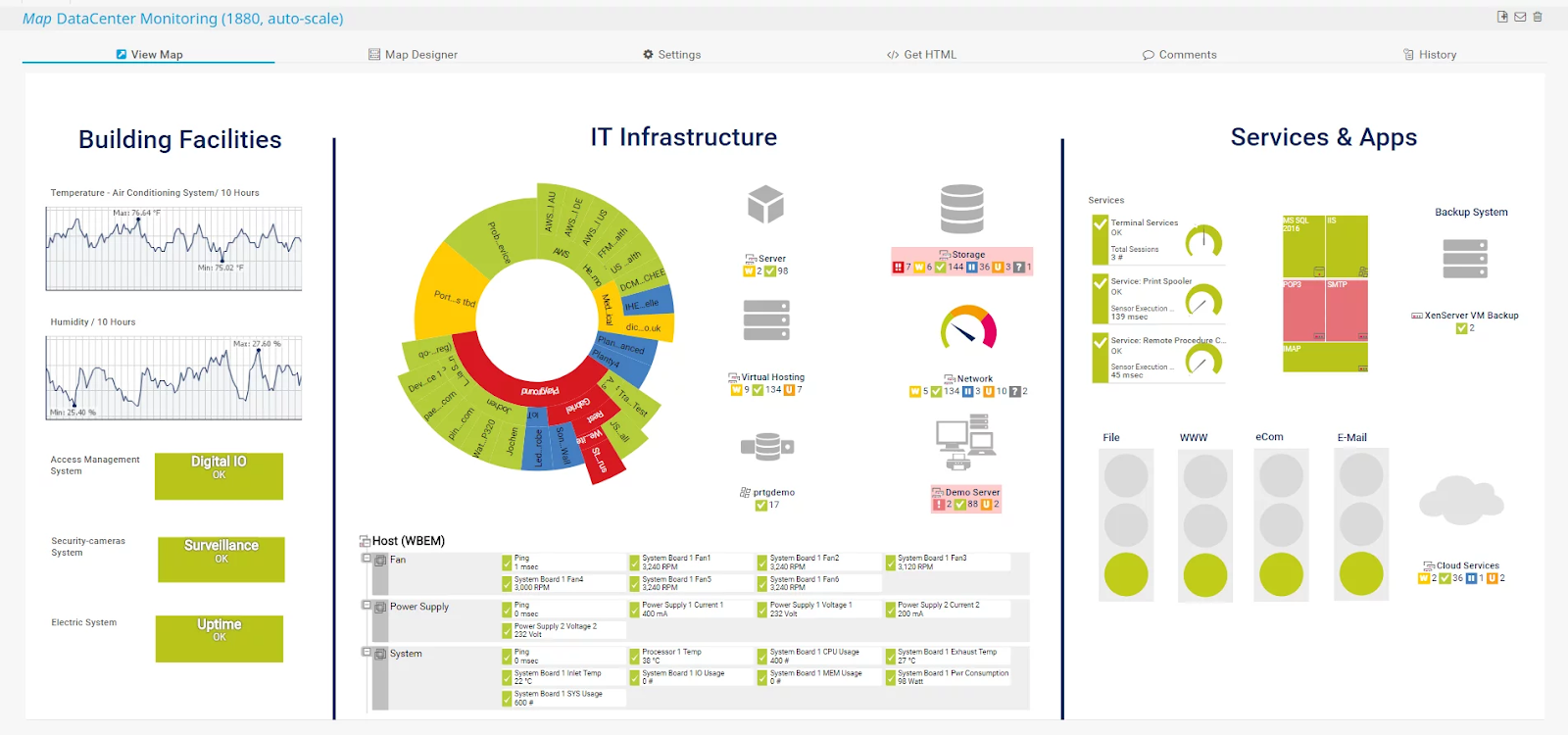
    Enable users to create interactive maps with PRTG map designer.

    Equipped with pre-configured PRTG sensors.

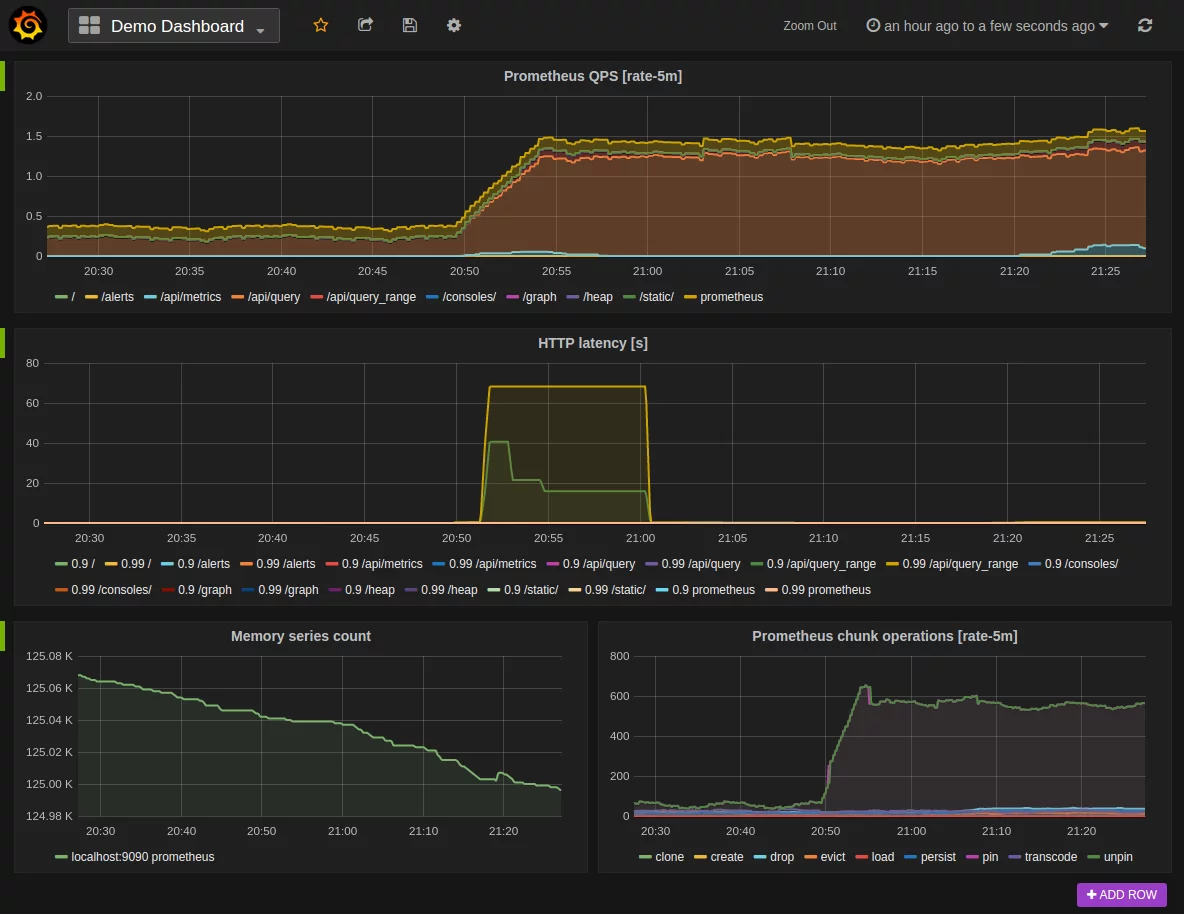
    Sematext Monitoring Troubleshooting infrastructure performance. Numerous integrations let users collect and report metrics across an entire IT stack.

    Correlates container data and logs to simplify troubleshooting.

    Allow users to check container-specific metrics for CPU, disk usage, memory, load, etc.

    It provides a glimpse of database health whether you run your infrastructure or use the Amazon RDS.

    Monitor and improve JVM performance so the JAVA-based SAP applications run smoothly.

    Prometheus Visualizes data via multiple modes. Multiple modes for dashboarding support. 

    Targets are identified via service discovery.

    No reliance on distributive storage.

    Enables slicing of collected data so the users can generate tables, charts, and graphics.

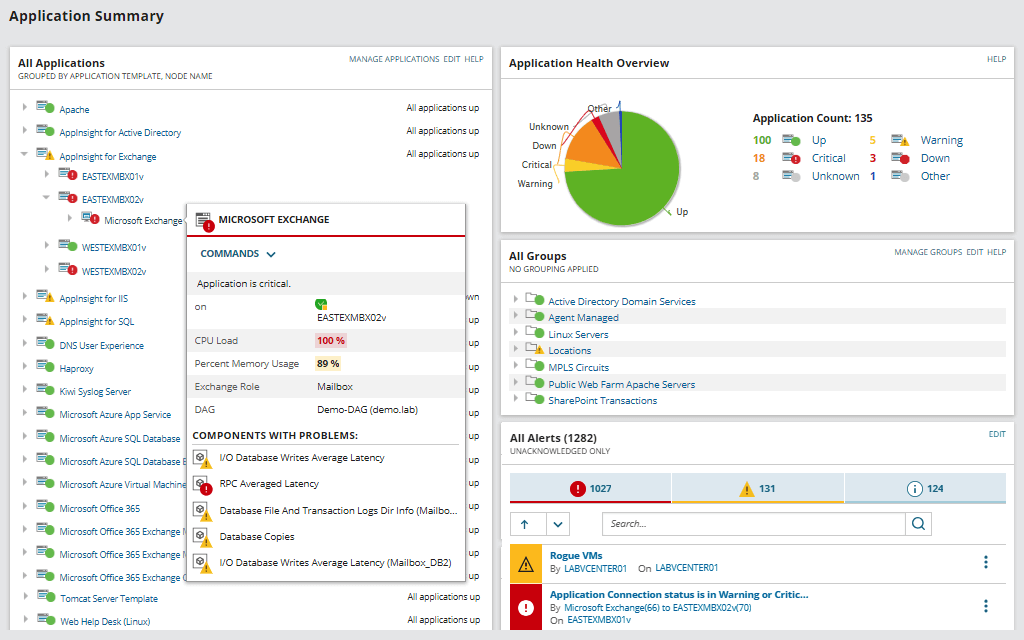
    SolarWinds Server and Application Monitor (SAM) Proactively monitor Linux applications and performance issues. Allow users to set thresholds for a unique development environment to stay ahead of the performance issues.

    Application response time monitoring allows users to identify the root cause of slow applications.

    Equipped with AWS cloud monitoring tool for AWS cloud.Equipped with Docker monitoring tools for Docker containers so the users can visualize metrics and receive alerts.

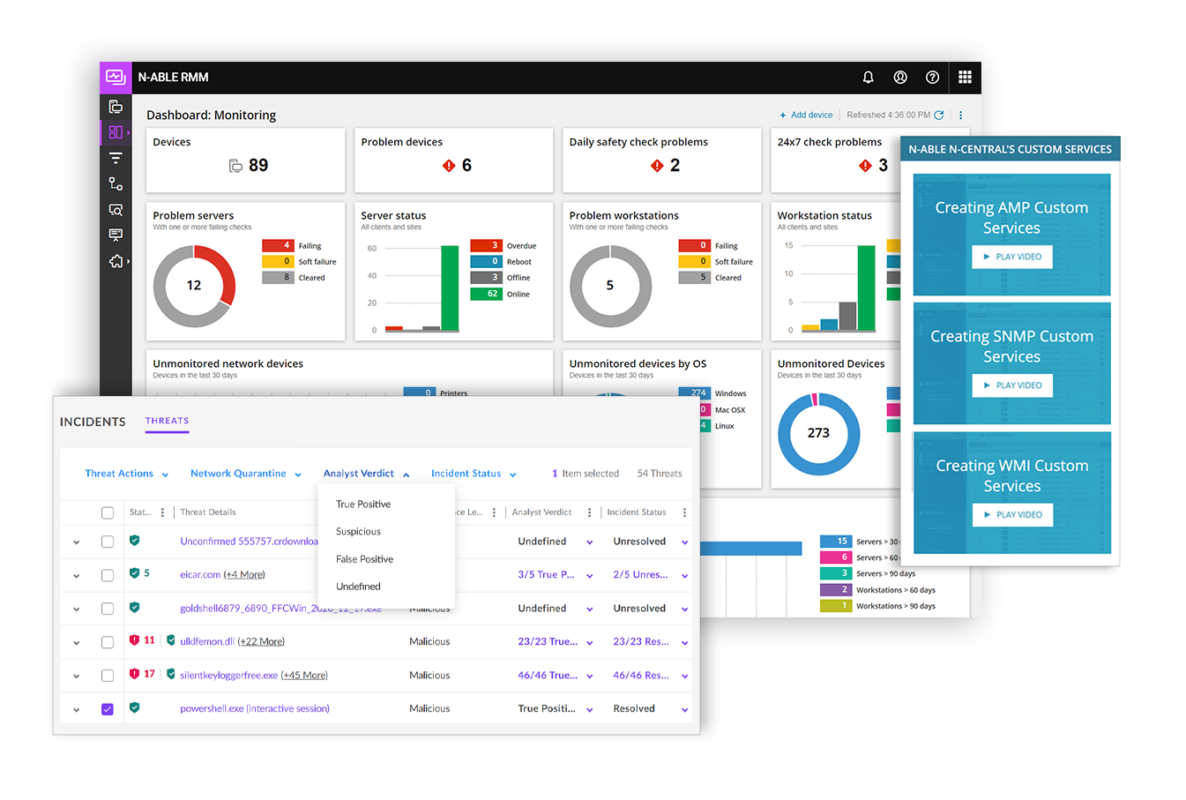
    N-able RMM Taking your IT infrastructure  Automatic scheduling and tracking.Personalized workspaces to configure dashboards.Real-time RMM tracking.

    Simple drag-and-drop interface with 650+ pre-written scripts.

    Enable users to automate the regular task.

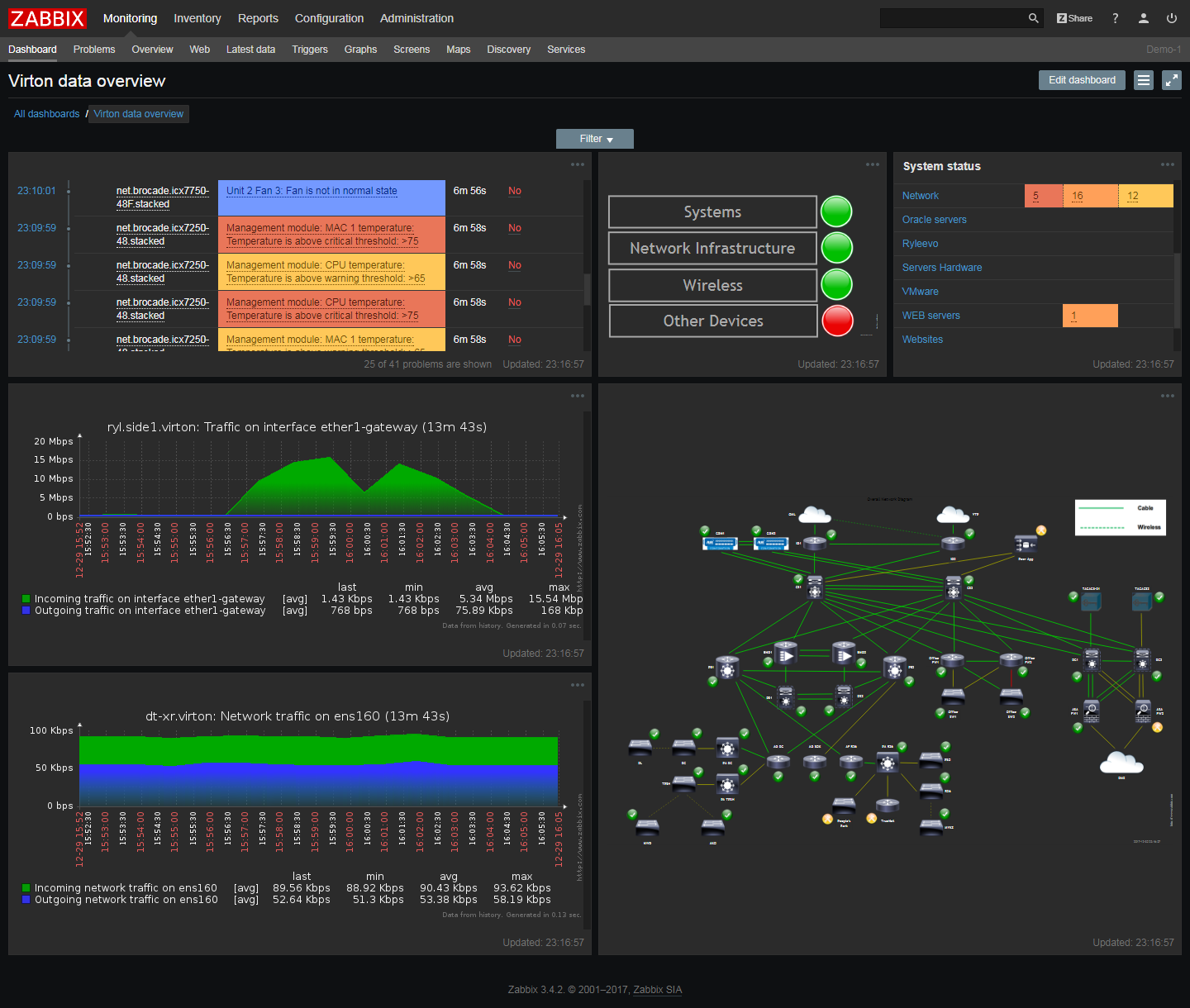
    Zabbix Proactive network monitoring Keeps your sensitive information secure by storing it in a separate vault.

    Ensure 24/7 uptime and eliminate the potential threat of data loss.

    Monitor any possible performance metric in your network, including but not limited to bandwidth, packet loss rate, or interface error rate.  

    The Elastic Stack Creating live presentations to manage live KPIs. Configurable retention policy so the users can decide how long they want to hold monitoring data—issue automatic alerts on stack issues.

    It has many management tools like APIs to retain complete control over the data, cluster operations, etc.

    Provides different tools to configure security and perform other tasks from the command line.

    1. PRTG – Best SAP monitoring tool for small, mid-sized, and large-scale companies.
    SAP monitoring tools

    Supported vendors and applications: Apache, VMware, AWS, Cisco, and hp.

    Developer:  Paessler AG.

    License: freeware and commercial edition.

    PRTG is a cloud-based platform for SAP monitoring with exceptional infrastructure monitoring capabilities for networks, servers, virtual machines, and ERP applications. It supports both agentless and agent-based monitoring. Since it supports agentless monitoring, it consumes relatively fewer system resources and requires considerably low maintenance costs. 

    Pros

    • Fast, simple, and easy to set up.
    • Both on-premise and cloud-hosted.
    • Provides both outside-the-box and customized solutions to detect performance issues in SAP-based business applications.
    • Equipped with an in-built map designer to visually represent connected components and networks.
    • Generate customizable alerts via emails, pops ups, and scripts.
    • Filter database operations if the business application uses JDBC.

    Cons

    • Does not support Linux OS.
    • Some features require scripting knowledge.

    Download PRTG

    1. Sematext Monitoring – Full stack IT infrastructure monitoring tool
    sap monitoring tools

    Supported OS: Windows, Mac, and Linux OS.

    License: Freeware (14 days trial).

    Developer: Elasticsearch, OpenSearch, and Logging Consulting.

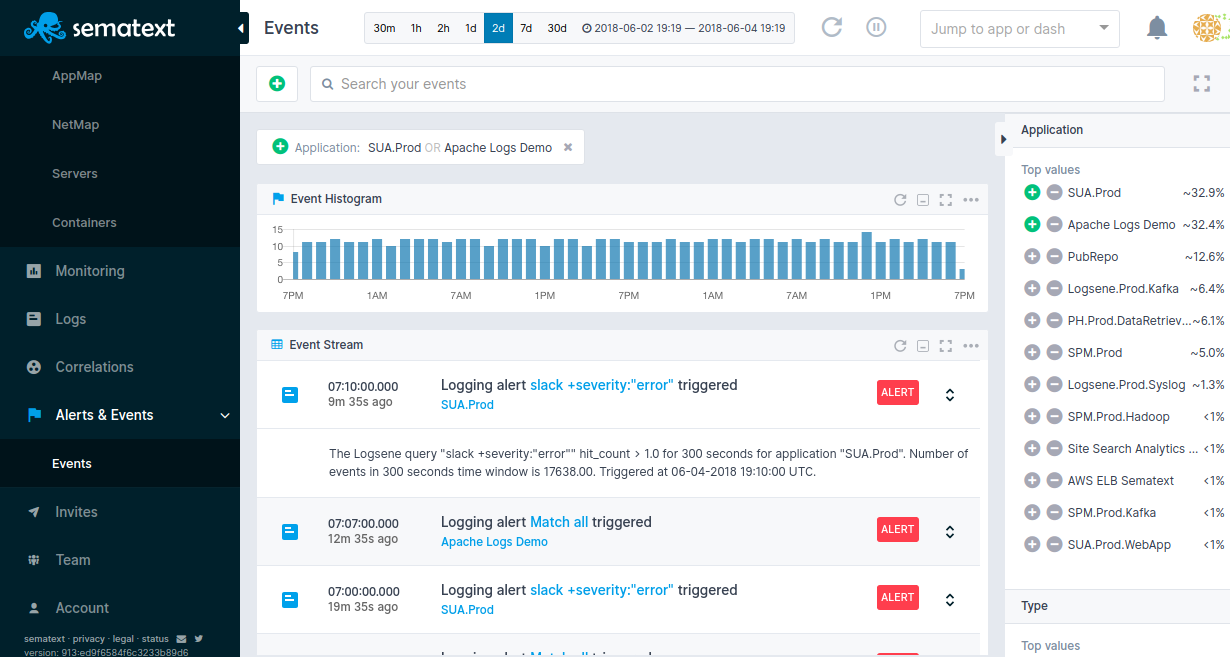
    Sematext is a full-stack SAP monitoring tool that provides real-time analysis of an organization’s IT infrastructure. It can flawlessly monitor the status of databases, inventory, applications, servers, processes, and databases. Furthermore, Sematext’s customizable dashboards allow users to track any desired metric. As a result, the user can combine alerts and logs in one single phase. To set an alert for a particular metric, you only need to click on the alert icon next to that metric. 

    Pros

    • Process monitoring for visualization performance metrics.
    • A lightweight and open-source application allows quick onboarding.
    • Monitor and correlate logs and events to provide insight into the organization’s IT infrastructure.
    • Trusted by the world’s largest tech conglomerates like eBay, Instagram, and Microsoft.
    •  Significantly reduce MTR (minimum recovery time) by troubleshooting SAP IT infrastructure performance-related issues.

    Cons

    • Limited support for transaction tracking.
    • User management required more improvement.

    Download Sematext Monitoring

    1. Prometheus – A cloud-native platform for SAP monitoring.
    sap monitoring automation tool

    Supported OS: Windows, Mac, and Linux.

    Developer: SoundCloud.

    License: Apache License 2.0

    Prometheus is a popular open-source SAP monitoring tool primarily designed for heavily containerized environments. Since its inception, it has been adopted by many leading organizations. Therefore, it has a huge user community.  Moreover, Prometheus uses time-series data to collect and store metrics that indicate metrics are stored with timestamps at which it was recorded.

    Pros

    • Standalone utility with no dependence on external service.
    • Does not require extensive infrastructure for monitoring.
    • Well-integrated for Kubernetes infrastructure monitoring.
    • Works well for recording numeric data. 
    • It supports both machine-centric monitoring as well as monitoring of highly dynamic service-oriented architectures.
    • Continue working when the remaining parts of the infrastructure stop working.

    Cons

    • Not suitable for tasks that require 100% accuracy like pre-request billing
    • No automated scaling, which is often required in large organizations.

    Download Prometheus

    1. SolarWinds – Comprehensive server and application monitoring tool
    sap security monitoring tools

    Supported OS: Windows, Mac, and Linux.

    Developer: SolarWinds Worldwide, LLC.

    License: freeware and commercial license.

    SolarWinds offers in-depth monitoring of SAP applications and outside-the-box support for more than 1200 applications and systems. On top of that, it allows users to track infrastructure components via Rest API, Powershell, Snmp, and WMI. 

    Pros

    • Visualization of data via its easy-to-use dashboard.
    • Monitor key performance metrics like CPU, memory, and uptime for Docker containers.
    • Capacity charts and forecasts to help with long-term capacity planning.
    • Monitor server performance via 1200 monitoring templates across public, private, and hybrid cloud environments.
    • Improve response time monitoring to reduce server response time and ensure availability.
    • Easy monitoring and management of file server.

    Cons

    • Difficult to configure due to the presence of multiple modules.
    • Some tools have the same capabilities.

    Download SolarWinds

    1. N-able RMM – Remote monitoring and management tool
    sap cloud platform monitoring

    Supported OS: Windows, Mac, Android, and iOS.

    Developer: N-able Solutions ULC.

    License: free (trial period).

    N-able RMM is a security-focused SAP monitoring tool that provides service and insights into the diverse IT environment of the client they are managing. Besides, It helps with the proactive identification and elimination of issues. 

    Pros

    • Beginner-friendly
    • Provides insightful knowledge to the users based on the data gathered from different sources.
    • Extensive monitoring architecture via API integration.
    • Live chat support.
    • Dedicated mobile app for technicians.
    • Drag and drop feature for file transfer.

    Cons

    • Not feasible for organizations with heavy workloads.
    • No hybrid backup feature.

    Download N-able RMM

    1. Zabbix – Professionally developed open-source software with no hidden cost
    sap monitoring tools

    Supported OS: Windows, Mac, Linux, iOS, and Android.

    Developed: Zabbix LLC.

    License: GPLv2

    Zabbix is an open-source automation tool for SAP monitoring. It is a versatile tool that offers multiple monitoring options for networks, servers, the cloud, business applications, and databases. Besides, Zabbix features a visualization capability that allows you to gain insight into the organization’s infrastructure. 

    Pros

    • Lightweight application with a smaller footprint.
    • Seamlessly integrate with other applications via Ziabbix API.
    • Broad support for all the relevant infrastructure components.
    • 24/7 technical support.
    • Hands-on personal training for newbies.
    • Supported by 250+ external vendors and global partners.

    Cons

    • Complex procedure for initial deployment and configuration.
    • Not compliant with the SaaS applications.

    Download Zabbix

    1. Elastic Stack – Maximize value and optimize performance.
    sap monitoring tools

    Supported OS: Windows, Mac, and Linux.

    Developer: Elasticsearch B.V.

    License: Freeware.

    Elastic Stack combines three open-source utilities: Elasticsearch, Kibana, and Logstash. It can reliably and securely gather data from any source for analysis and visualization.

    Pros

    • Extensive libraries for multiple scripting and programming languages.
    • Analyze telemetry data from distributive infrastructure in real-time.
    • Real-time customization, analysis, and data visualization to provide in-depth insights.
    • Display CPU/memory utilization in the Kibana dashboard.
    • With cross-data-center replication, no additional technology is required to replicate data across data centers. 

    Cons

    • Multi-step deployment process.
    • A complex infrastructure configuration is required to ensure resiliency and data usability.  

    Download Elastic Stack

    What is SAP monitoring?

    SAP monitoring is the process of proactively monitoring application servers. Since a vast majority of organizations today use SAP tools like Enterprise Resource Planning (ERP), and Customer Relationship Management, SAP monitoring is mandatory to help ensure that the network software performance is at par with the standards defined by the IT admins.

    How monitoring tools are used in SAP?

    SAP monitoring tools provide IT teams insights into the system performance and grant them access to the system end-users have access to. Moreover, SAP monitoring tools can flawlessly perform many other tasks, notably automatic intrusion detection, streamlining the review process of user accounts, and managing both on-premise and cloud deployment of the SAP applications.

    Final thoughts

    SAP monitoring tools provide a helicopter view of the IT infrastructure status, including performance, availability, utilization, and security. Additionally, it can generate notifications and reports that deliver insightful knowledge, regardless of where the application is hosted. Some monitoring tools are designed for specific purposes like performance tracking, while others offer complete monitoring with plenty of customization tools.

    Some business owners try to develop customized monitoring tools to avoid dependency on third-party vendors. However, they wasted time and money on the least important tasks. Therefore, defining monitoring metrics and buying the tool that meets organizations’ needs is always better than creating a new monitoring tool from scratch. 

  • Convert AVI Video Files Into Independant Self Running Executables

    Playing video files in computer can be a headache to some people because it involves video codecs. A video codec is a device or software that enables video compression and/or decompression for digital video. When a video file is being compressed with DivX, you’ll need to have DivX codec installed in order to watch the video. Most of the time we don’t know what is the compression being used to compress the video file, so we install codec packs to support playing all video files. There are tons of video codec packs that you can find on the Internet such as K-Lite Codec Pack, Combined Community Codec Pack, Nimo Codec Pack, XP Codec Pack, Windows Essentials Codec Pack, and many more!

    When codec pack works, then it works. But if it doesn’t, you are going to go through a lot of trouble trying to cleanup the old installed codec to reinstall a different codec pack or a newer version codec. If you need show video presentation to your client, don’t risk your business by trying to mess around with video codecs.

    A better way would be to convert the video file into a independent self running executable file which don’t require installation of any codecs or media players to play the video.

  • No Audio Sound When Playing MKV on WD TV Player

    One of my best investment is the WD TV HD Media Player generation 1 (model:WDAVN00). Although it is an old model, I find it very useful as it can support playing many downloaded video files from the Internet. Most of the movies or TV series that can be downloaded on the Internet are in AVI format and WDTV plays it flawlessly. I no longer need to burn the downloaded AVI video file to DVD to watch it on TV. Recently I downloaded a video that is in MKV format and I was glad that WDTV is able to play it but somehow there is no sound.

    I tried playing an AVI video file and there is sound which means the WD TV player is working fine. One thing I noticed, is that when the MKV video is being played, the TV screen shows “Chinese 1(Digital)” because it’s a Chinese movie. When AVI video being played, it shows “Audio Channel 1″. All this while I have been using RCA connector cable which consist of 3 cables (yellow for video, white and red for audio) to connect from WD TV to the amplifier. After more researching, I found out that I need another cable in order to have sound when playing MKV file on WD TV.

  • Review and Download Free Microsoft Security Essentials for Windows

    Whenever all these giant companies comes out with something new, you can find it written all over the Internet. Remember Bing, the new search engine by Microsoft? Well me and many others still think Google search results are way better. Then few days ago I heard about the upcoming free antivirus software called Microsoft Security Essentials created by Microsoft that will provide protection from viruses, spyware, rootkits, and trojans for Windows XP, Windows Vista, and Windows 7. As usual, it was posted everywhere and the first thing that came to my mind was is it necessary to create all that hype?
    Download Microsoft Security Essentials
    I personally don’t think that Microsoft Security Essentials will dominate the antivirus market even if it is bundled in future version of Windows. Just like Internet Explorer, it comes in every Windows but my monthly web statistics shows that there are more Firefox users than IE. I am very curious to see how good or bad is the upcoming free antivirus by Microsoft so I left work a little early today (of course with my boss’ approval) to test it out.

  • Browser Defender by ThreatExpert, a SiteAdvisor Alternative

    When you are browsing the web, you may encounter many types of threats such as phishing sites that tries to trick you into revealing your private information such as paypal, online banking and etc. Then there are sites that will install spyware on your computer and then try to trick you into buying their antispyware program. Then there are scripts that is capable to exploit the browser’s vulnerability. According to the latest Netcraft web server survey, there are about 182 million sites and the numbers are growing rapidly. With that amount of sites on the Internet, distinguishing the good websites from the bad is very tricky, even for experienced users. I was tricked into installing a rogueware (Spy Sheriff) once because everything seemed so real!

    Firefox web browser has a built-in security feature where it can block attack sites and web forgeries. It works but in my opinion, it is a little annoying when I want to ignore the warning and continue accessing the “attack site”. As for AVG Link Scanner, it is a total failure because it slows down your internet connection. One of the best is probably McAfee SiteAdvisor, a shareware that cost $19.99 per year where it shields your PC from dangerous Web sites, no matter where they appear.

    If you’re looking for an alternative which is free, you can try Browser Defender toolbar.

  • What’s My Computer Doing? Shows Programs Accessing Hard Disk or CPU

    Windows operating system is actually very complex. If you don’t run any software, it doesn’t mean that Windows is not working. If you don’t believe me, try running Process Monitor and you will see constant reading and writing of files and registry. About two years ago I written an article to find out what program is secretly accessing your hard drive using FileMon (which is now replaced with Process Monitor) and Anvir Task Manager.

    Checking what process are constantly and actively accessing your hard drive and CPU usage is very important to detect suspicious activity or even a badly coded software. If a program is idle or not running, logically it should not be using much resources from your computer. If it does, you should take extra measures to learn more about the process. I have stumbled on a useful tool called What’s My Computer Doing? which shows all programs with details that are accessing your hard disk or using the CPU.

  • Batch Unrar Extract and Recover

    All the while I have been using the excellent JDownloader as my premium account download manager together with the very useful JD Unrar addon to batch extract multiple RAR archives using password list. I find that the more I use JD Unrar to extract password protected RAR files by manually keying in the password, the need to enter password for RAR extraction became lesser now because I have already provided the password before which is auto saved. Most of the time files that are uploaded and shared on a specific website uses the same password. As great as it is, JDownloader portability is limited because it requires Java to run.

    I found another alternative called Unrar Extract and Recover which does the same thing as JD Unrar but it is truly portable and don’t require any dependencies such as Java or .NET Framework.

  • IObit Game Booster Gives Smoother and Better Game Play

    IObit, the company that develops Advanced SystemCare 3 has came up with a new free software called Game Booster. It is designed to help optimize your PC for smoother, more responsive game play in the latest PC games with the touch of a button, Game Booster helps achieve the performance edge previously only available to highly technical enthusiasts. It works by temporarily shutting down background processes, cleaning RAM, and intensifying processor performance with only a single click. You can then bring back the disabled and closed program with a click as well.
    Increase Game Performance with Game Booster
    I am not a serious gamer and the only game that I play is Counter-Strike Source which is not really a power hungry game (meaning I don’t need a powerful computer to play it). I’ve read on some forums and website saying that Game Booster is able to give better FPS so I thought I should give it a try. Even if you’re not a gamer, you can use this tool to disable unnecessary services and running programs so you can run intensive applications.

  • Tool for bulk generate random passwords on multiple user accounts in Active Directory

    Since I know about Active Directory, one of the common questions I heard from others is how to efficiently manage bulk user accounts in Active Directory. A very well known legacy command at the market is ‘CSVDE‘ & ‘LDIFDE‘. These commands basically allow the administrators to insert/modify the user’s properties using a CSV sheet (for CSVDE) & LDIF file (for LDIFDE). This is a very organized method and no doubt, it is a lot easier rather than one by one create/modify the user account’s attributes.

    But there are few challenges to perform accounts management with above commands, one of it is you will need to pre-define the actual Active Directory attribute inside the file, in order to allow Active Directory to insert information into the correct field. For example, First Name, Last Name, etc. Also, you will face another challenge if you would like to generate multiple random passwords on multiple user accounts in Active Directory.

    Here, I would like to introduce one tool, although it is not new, but I found that useful on the internet, it called BulkADUser.


  • Scan your Network using SoftPerfect Network Scanner

    Network scanning is an exercise for identifying active hosts on a network, either for analyzing purpose or security assessment, you may need some tools to help you on performing such exercises. There are lots of network scanning tools out there, some of them are free, some of them are chargeable and some of them are hardware appliance. I will not talk about hardware appliance as that is too expensive for us to use, and it is not practical for a single user usage, unless you are a hacker or trying to setting up a marvelous network environment in your own territory and willing to spend a lot on all these devices.

    After perform network scanning, it is always good to have additional features provided by the tool itself, such as services monitoring, wake on LAN, remote shutdown and etc. Definitely, it will be good if the tool is free of charge.


  • How to Easily Convert RMVB to AVI for Free

    ASTRO is the only Malaysian pay satellite TV service and they have an On Demand package where the latest Hong Kong TVB drama series are being aired every day. My wife loves to watch Cantonese dramas so I’ve subscribe to the Astro On Demand package by paying an additional RM39.95 ($US13) per month. Although there are extra channels for the Astro On Demand, it doesn’t really mean that we can watch the particular episode any time we want. The reason is when the drama series has reached up to 20-30 episodes, around 4 episodes are shared on 1 channel. If we missed the episode that we want watch, we’ll have to wait until the cycle is complete so that the episode that we want to watch will be repeated. The completed drama series also only available for a limited time and will be removed from Astro On Demand channels.

    This is a huge annoyance and I guess that is one of the main reason why people prefer to buy pirated DVDs where they can watch it any time they want. My wife recently missed the last two episodes of “Growing Through Life” because she was busy making sure we have everything for the baby and that drama series has been removed from Astro. I searched around and found that I can download the episode from HDZone but it is in RMVB format and my WD TV (first generation) player cannot support and play RMVB files. I am only left with the option of converting the RMVB file to AVI.


  • Disable and Remove Windows Media Player & Internet Explorer

    I’m aware this trick only works for Windows 7 in every version, but I’ve heard people have some results in Windows XP and Vista in being able to downgrade to Windows Media Player 9, if not an even earlier version by using Revo Uninstaller/Unlocker to delete and uninstall shell programs. It is not common place to be doing this tip, I show it only out of the interest of people that use a third party browser and wish to use it only, with no options for IE. Keep in mind, we are not completely removing them from the kernel, let alone the actual operating system itself, we are removing the executable file that offers the link to them. If you use a different audio/media player and different browser that does not use Internet Explorer as it’s base, such as Apple Safari, Mozilla Firefox, or Opera Software’s Opera browser. If you use IE as a base, you might want to keep it. At the same time, my first tip I showed, how to get ‘Now Playing’ working in Windows Media Player in a different media player, will no longer work. There is also the chance of other breakages as well, but I can’t promise anything, as I’ve noticed nothing else missing when I did this myself.


  • Conficker Worm is Still Circulating in TM Datacenter

    Probably many of you have heard of the Conficker worm that has infected probably millions of computers in the whole world. As long as the computer is running an unpatched Windows XP or Vista, or without an Internet Security or Antivirus that can detect Conficker, chances are the worm could have found their way in. Conficker worm is quite an old news but only until recently I have encountered with this Conficker worm. I rented a dedicated server in Malaysia located in TM datacenter and the webhost installed Windows Server 2008 R2. I don’t really need a server operating system so I requested them to change it to the good old Windows XP.

    Once they have finished installing XP, they gave me the user account information so that I can login using Remote Desktop Connection. The first thing that I always do when I get my hands on a newly installed Windows operating system is to go to Windows Update to download the hotfixes and service pack. I opened Internet Explorer and the default Microsoft page couldn’t load. Then I tried accessing the Windows Update and the page wasn’t accessible too! There was no problems in loading Google.com. The first thing that came to my mind was a bad HOSTS file. I checked the HOSTS file and it was clean. Next thing in line that could be the problem is the DNS server which translates domain name to IP address. Changed to Google DNS servers but still no go.

    Finally I figured that it could be a virus or worm so I searched in Symantec’s website and the symptoms points to a Conficker worm. The Conficker worm is so shockingly smart that it was able to instantly infect a non patched Windows XP automatically by hacking in without any user interaction. One of the easiest way to confirm that the computer is infected by the Conficker worm is to visit the Conficker Eye Chart webpage. There are 6 images on the webpage and if the web browser is unable to show some of the images, then it is very likely that Conficker is causing it. The simple test is an easy yet effective method because the Conficker worm blocks a lot of security and manufacturer’s website such as F-Secure, Trend Micro, Dell and etc but not OpenBSD, FreeBSD and Linux website.
    Conficker Eye Chart


  • Accuracy of 3DP Bench and BootRacer in Measuring Boot Speed

    When I was very young with computers was very uncommon and still very new to me, I only had a NEC 386 computer and my cousin already had Intel Pentium 100MHz and above. My cousin was comparing the boot up speed among other school friends that has a computer. Measuring the computer boot time may seemed easy by simply using a watch and monitoring the second needle ticking. Today there are software that help user check their Windows boot speed and giving even more accurate results.

    I found 2 free application called BootRacer and 3DP Bench which can be used to measure computer and Windows boot time. Although calculating boot time may seem very basic but I have tested both software and they gave a very different result.