Author: raymond

  • Setting Windows User Account with Random Password

    There are many freewares capable of generating random password for you if you couldn’t think and decide what password to use for your internet banking, emails, user account and etc… It is not that hard to code a program that does something like that, that’s why most of random password generators are offered for free. A good unbreakable password must consist of numbers, uppercase & lowercase letters, and symbols with at least 8 characters so that brute force attacks would take at least many years to be successful and by that time you might have already changed to a new password.

    If you’re using a shared computer, it is very important to make sure that your user account password strength is strong enough to prevent against cracking using Ophcrack or Login Recovery. If someone cracked your user account password and logged into the computer with it, you may not even notice it unlike if your password is being reset/changed with Offline Windows Password & Registry Editor. They now have access to your files and possibly even passwords that are saved in your web browser.
    (more…)

  • Reset the Password to Uninstall Symantec Endpoint Protection

    An old friend contacted me today and asked me to help him to remove a virus infection on his desktop. I checked his computer and there is an enterprise version of antivirus called Symantec Endpoint Protection (SEP) installed but there were no Symantec Endpoint Protection Manager which acts as a server to manage the SEP clients on the network. It is possible that the Symantec Endpoint Protection is installed as an unmanaged client but the virus definition hasn’t been updated for a very long time and I couldn’t manually update the signature from the LiveUpdate program. I may as well uninstall the Symantec Endpoint Protection since it couldn’t update the virus definition to detect the latest virus and replace it with a free antivirus such as Avira, Avast, AVG or Microsoft Security Essentials.

    I went to Control Panel and ran the Programs and Features shortcut icon. Found Symantec Endpoint Protection and I clicked on the Remove button. The progress bar ran for a while and a dialog box pop out saying “Please enter the uninstall password“.

    Symantec Endpoint Protection Uninstall Password

    I asked my friend and he don’t know the password. The Norton Removal Tool only works on home products but not for enterprise products. It is not possible for me to install any other type of antivirus if i do not remove the Symantec Endpoint Protection client first. Even if I could, it is still not advisable to be running two different antivirus at the same time which can cause conflict and slow down of the system.
    (more…)

  • 10 Websites to Resize and Edit Pictures Online for Free

    The default image viewer program in Windows 7 called Windows Photo Viewer is only capable of rotating the image while the default image editor Microsoft Paint comes with more features such as crop, resize, rotate, color fill, color picker, insert text, outline, brushes and shapes. It also support all of the popular image format such as JPEG, Bitmap, GIF, TIFF and PNG. If you are looking for a more powerful photo editing tool that does much more than Paint but don’t need the most advanced program such as Adobe Photoshop that cost hundreds of dollars for a license, you can try out the online photo editor services and you’ll be surprised how much it can do without payment or even registration! Check out our top 10 websites that offers advanced online image editing for free.
    (more…)

  • View Yahoo Messenger Chat History Archive Directly

    In every version of Yahoo Messenger, there is an option where you can save all your messages that you’ve sent and received from your contacts. The history are saved by default and can be disabled from the Preferences by simultaneously pressing Ctrl+Shift+P and click on Archive.

    The messages are meant to be viewed only by the owner of the account because it requires logging in to the Yahoo account. However, due to the poor encryption of the chat log files that are saved locally on the hard drive, there are third party tools that can decrypt the encrypted .dat files and reveal the conversation without even running and logging in to Yahoo Messenger.

    There are many tools that you can find to decode the messages archive for Yahoo Messenger but most of them are outdated. After testing all the tools that we can find, we found that the most up to date free tool to decode yahoo chat archive is Yahoo! Archive Manipulator. All you need to do is install the program and run it which will automatically detect the location of the history .dat file and display the messages in a tree view.
    (more…)

  • How To Crack your Windows User Account Password

    Sensible computer users will always advise you that protecting your user account on your Windows installation with a password is a very important thing to do. And of course, that is correct to help protect and secure private and important data from other users that have access to the same machine. It isn’t the case anymore though that simply putting a password on your account will protect you and your files if someone is desperate enough to want to get in.

    There are of course legitimate reasons for wanting to get around a user account password. I’ve lost count the number of times someone has left me with a PC to work on and gone off not telling me what the password is. Some users are so forgetful, they can’t even remember what their own password is, and you’d be surprised how many people actually do that. It’s not a major surprise really when there are possibly 10+ different passwords to remember while using your PC and online etc.
    (more…)

  • 11 Tools to Find out Information About Your Computer’s Hardware

    Knowing what hardware is present inside your computer by using just the tools present inside Windows might give you some idea, but it won’t be terribly informative. Something like MSInfo32 would offer some useful snippets of information about several different system components although it’s by no means complete. For instance, if you want to know the important details about your processor, graphics card, memory speeds, motherboard chipset and BIOS etc, it has to be obtained from somewhere else.

    It can be frustrating when you’re troubleshooting and ask someone if they can tell you something like how much or what speed RAM they have installed, or what graphics chip is present and they don’t have a clue what they have or how to get you the relevant information. For a much better idea relating to the specification of yours or somebody else’s computer hardware, a 3rd party utility is the way to go.

    Thankfully there are several around that can handle this and can range from giving you a general overview of the system components, to comprehensive in depth details of a single component such as the CPU or graphics card. Here’s a selection of freeware tools to help you extract the information you’re looking for.
    (more…)

  • Windows Live Messenger and Hotmail or Outlook Account Cracker

    Hotmail (now known as Outlook.com) is one of the oldest free email providers that is owned by Microsoft. Although Gmail has been really popular, many people still own a Hotmail account so that they’re able to use the services such as Windows Live Messenger, SkyDrive and etc that is being offered for free to their Live users. Hacking Hotmail account is not impossible but not really that easy as well as it requires a bit of patience and luck. The first method that would definitely work is to install a keylogger and steal the Hotmail login credentials. The guessing of the secret answer to the secret question set by the user is no longer effective because you need to fill up a bunch of questionnaire with the accurate answers to verify that you actually own the Hotmail account or else the request will be rejected.

    The third and final method to crack a Hotmail password is by brute forcing with a wordlist or dictionary file. This method would be the best because the password will be retained and not reset which will not trigger the account owner’s attention while you can access and view the emails. Other than that, there are also many basic users that uses common passwords which can be easily cracked. There are many brute forcing tools that can be found on the Internet but most of them are either broken (not working) or infected by malware. We have found a script written by Adam Joseph that works and is safe to use.
    (more…)

  • Delete Individual URLs from Web Browser Address Bar history

    Most of today’s web browsers try to help save you a little bit of time and effort here and there. One of the areas they’re doing this is completing a URL address for you if you have typed it in previously into the browser address bar. If you typed in and went to “ishouldnotbehere.com” last week, when you start to type in letters such as “ish” into the address bar, the browser will detect you have typed this in before and show the full address as an option to try and save time typing the whole thing in again.

    This might be all well and good, but there are times you might not want a specific address to be kept in the history and certainly don’t want it showing up when someone else starts typing a few letters into the bar so they can see where you have been! What you want to do is without completely deleting all the auto complete entries, just delete all traces of the ones you don’t wish to keep around.

    Each of the most popular web browsers Internet Explorer, Firefox, Opera and Google Chrome each have different methods in deleting individual entries from the address bar. Here we’ll show you how for each browser.
    (more…)

  • 4 Ways to Edit URLs at Internet Explorer Address Bar History

    The usage of Internet Explorer has always been in the lead because it is installed in every Windows operating system by default and the shortcut icon is always placed somewhere that is visible such as pinned to taskbar in Windows 7 that encourages basic computer users to use Internet Explorer. Multiple people using Internet Explorer on the same computer that is logged on with the same user account will have some privacy issues because the last 25 visited URLs can be easily viewed by anyone on the computer by clicking on the drop down icon at the address bar or simply pressing the up/down arrow key from the keyboard.

    Change Internet Explorer History

    You can easily clear the history which is the list of websites that you’ve visited by pressing Ctrl+Shift+Del but that would only trigger the attention of someone monitoring the computer. Although you can selectively delete the visited URLs from the address bar but that might also trigger the attention because Internet Explorer only keeps the latest 25 URLs on the address bar. Deleting a few URLs from the history reduces the number of saved history. What we can show you is the possibility of editing, changing or modifying the addresses from the history which will cover your tracks pretty well.
    (more…)

  • Checking Genuine Windows and Making it Genuine

    Back in 2006 after getting upset over all the pirated copies of Windows XP being used, Microsoft decided to roll out Windows Genuine Advantage. This “critical” Windows update would be installed on your machine and then the Windows Product key being used would be checked against known blacklisted keys and whether it’s been activated before. If the information in the Microsoft database doesn’t match the identity of your machine, the check for a genuine Windows will fail and cause the wallpaper and background to reset every 60 minutes.

    This will throw notifications on your desktop that Windows is not a genuine copy and you won’t be able to get all important Windows updates because of the online WGA validation component. The Genuine Advantage components (WGA Notifications and WGA Validation) would be fine if they were 100% accurate, but of course they aren’t. It’s entirely possible to get a genuine failure even if your Windows is fully legitimate.
    (more…)

  • How to Add your Hotmail Account to Microsoft Outlook 2010

    Microsoft Outlook 2010 is a premium and powerful email client software that is bundled in Microsoft Office Home and Business or the Professional version. It can also be purchased separately as a stand-alone program at $139.99 from the Microsoft Store website. It is mostly used in corporate companies that uses email as their main method to communicate with their clients. Other than able to send and receive email from POP3 email servers, it can also download the emails from Hotmail or Outlook.com through the MAPI protocol after installing the Microsoft Office Outlook Connector.

    Hotmail to Outlook

    Many years ago, most web based email services such as Hotmail and Yahoo does not allow access from email clients unless they upgrade their account type to the paid subscription to enable POP3 and SMTP protocol for their account. Trying to access Hotmail from Outlook will prompt an error message saying “Access to Hotmail via Outlook or Outlook Express now requires a subscription. Please sign up at http://join.msn.com/general/Email“. The only way to remove this restriction is to subscribe to the Hotmail Plus which we had trouble cancelling the subscription at a later time. Thanks to Gmail for offering POP and IMAP services for free to their users, they created a competition where competitors such as Hotmail also started to allow email clients to access Hotmail.
    (more…)

  • 3 Ways to Test your RAM with Microsoft Windows Memory Diagnostic

    Unfortunately knowing when you have RAM memory inside your PC that has developed problems isn’t as straightforward as you might think. It can manifest itself in many different ways and problems with your computer which don’t seem in the remotest bit connected with RAM, could in fact turn out to be just that.

    A computer that fires into life and then sits at a black screen and doesn’t do anything else is a common symptom of a bad module which needs taking out or replacing. A Windows install that keeps failing while unpacking files from the disc could also be due to a memory error. Even problems relating to disk read errors which sound the furthest thing from memory issues as you could imagine, can be caused by errors coming from the memory.

    Testing your RAM for errors is something you can easily do because there are a few free tools around that can help you out, and all that’s needed is for you to run the program and let it check all your internal memory. Here’s a few different ways you can test your RAM for errors.
    (more…)

  • Easily Get Working Proxies List with Forum Proxy Leecher

    Proxies has been around for many years and is still being used a lot today. The only reason why someone would want to use a proxy is to mask their IP address but sacrificing the speed and stability of their Internet connection. Another problem with proxies are they don’t usually last a long time and they may not be necessarily highly anonymous which may leak some of your information out. Other than that, proxy list are also often being used in software that does scraping. For example, if you try to scrape Google with your single IP address, Google will eventually detect it and block your request by asking you to answer the given CAPTCHA code. This restriction can be easily bypassed using a list of proxy and setting a timeout value.

    Compiling a list of proxy addresses is a very tedious job if you do it manually. You will have to look up proxy websites and forums to compile the proxies into a list, remove the duplicates and test them for their speed, reliability, anonymity and status. Imagine doing that daily if you need a list of fresh proxies everyday. Fortunately there are software such as Forum Proxy Leecher that can automate the whole process and easily get you thousands of working proxies whenever you want.
    (more…)

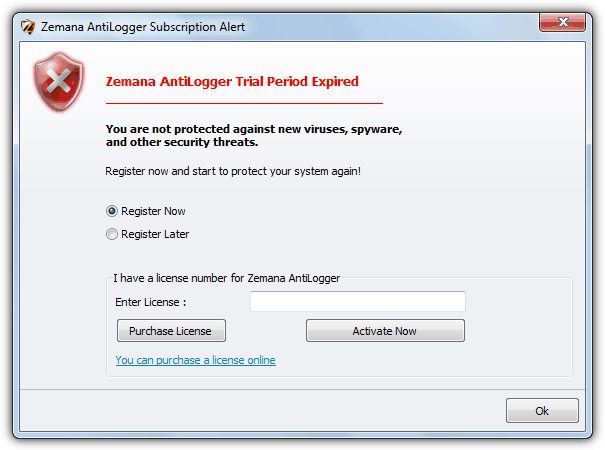
  • 5 Ways to Extend Trial Periods of Shareware Software

    Normally there are two types of restrictions for shareware. The first one is the demo version with limited or crippled functionality that doesn’t have an expiry date and another type is the fully functional trial version that expires after a certain period of time. The amount of days given to try are normally around 30 days but it could be shorter or longer depending on the author of the software. In the earlier days, you can easily run the expired software by simply backdating the date on your Windows operating system but some software has got smarter to detect this and instantly ends the trial period.

    Software Expired

    You might think to yourself, how does the shareware knows how many days left in the trial period? Most of the time these commercial and freeware protectors drop some information somewhere deep inside your computer after installation so they know when it was installed and then comparing with the official current time pulled from the Internet. It is possible to find the location that records that information by using file or registry monitoring software including third party uninstaller software such as Revo Uninstaller but it can be tedious and frustrating work.

    Here’s a few simpler ways on how you can extend trial periods of software using various different methods.
    (more…)

  • How To Easily Put Hiren’s BootCD on to USB Pen Stick

    Thanks to USB sticks it’s now possible to put ISO images onto them and then boot the computer straight from the stick instead of burning them out to CD or DVD. This is a real plus if you don’t have an optical drive in your machine. Depending on the speed of your pen stick USB could be much faster than using even the fastest ROM drives. There are several tools available for all kinds of disc images to be written to USB, but each image could use a different loader to boot from which means there isn’t one single foolproof way of putting any image onto USB stick.

    For example, a useful tool to put Windows 7 onto USB called WiNToBootic might be good for Windows 7, but is of no use for other ISO images. As most of us know, one of the best all round recovery and repair CD’s is Hiren’s BootCD and has long been one of the most valuable discs you could have in your repair toolkit. But getting Hiren from it’s default distribution format of ISO onto USB isn’t completely straightforward and you can’t just grab any ISO to USB tool and expect it to be successful.

    The “official” method to achieve Hiren to USB direct from the Hiren website is getting a little old now and involves manually formatting the stick, installing the boot loader and then copying the files over from the ISO yourself. Thankfully there are much easier ways to get the job done with little more than a few mouse clicks.

    Here’s 5 easy ways to install Hiren’s BootCD onto USB stick with the minimum of fuss, all you need is a copy of the Hiren’s BootCD ISO. The good news is that none of these tools need to be installed on your machine to be able to do it because they’re all portable.
    (more…)