Category: Computer

  • Keylogger Detector Tools: 5 Best Picks for 2023

    How to detect and remove keyloggers is people’s biggest concern because this rootkit malware has affected millions worldwide. Above all, keyloggers attempt to steal sensitive information like credit card details and login credentials. Therefore, it becomes necessary to take preventive measures against such threats. In this article. We’ll discuss the 5 best keylogger detectors tools that can stop attackers from exploiting the users’ system.

    Best Keylogger Detector Software

    Software Best for Top Features
    1. Malwarebytes Proactive protection against the rootkit. Protection against malicious websites and phishing attacks.

    Its malware rootkit scanner protects the users’ devices and data.

    Its anti-rootkit technology can identify rootkit origin based on its behavior and stop it from infecting the system. 

    Clocks all third-party ad collectors.

    2. Avast Preventing your device from keyloggers. Effectively clean and scan rootkits, mainly keyloggers inside the users’ system.

    Equipped with useful tools like free anti-spyware detector and removal, anti-ransomware removal, virus scanner and removal, and adware scanner and cleaner.

    Block all intruders from accessing your WI-FI. 

    Protect the system from keyloggers and ransomware.

    3. TDSSKiller Safeguarding an organization’s security against evolving cyber threats. Ability to detect and eliminate bootkits and rootkits.

    Completely scan your system in 15 seconds.

    Ability to protect your privacy by blocking unauthorized access to the users’ webcam.

    4. MacScan Identifying and destroying malware threats and remnants of browsing data Protection against all malware threats, including but not limited to keylogging. 

    Allow users to schedule the scanning.

    Regularly update users about any possible threat.

    Automatically remove tracking cookies.

    Provide users access to a knowledge base.

    5. UnHackMe Detecting and removing suspicious files in the system. Ability to scan installed applications for potentially damaging software.

    Scan browser add-ons and extensions for vulnerabilities.

    Enable users to detect and remove suspicious files manually.

    Allow users to customize the scan according to their needs.

    Scan Windows startup programs and drivers for potentially unwanted programs.

    1. Malwarebytes – Stops keyloggers from compromising system performance.
    keylogger detector

    Supported OS: Windows, Mac, iOS, and Android.

    License: Freeware

    Developer: Malwarebytes

    MalwareBytes removes the deeply embedded rootkits by penetrating into the system and scanning it thoroughly. Leveraging the power of cutting-edge technology, it removes and repairs the damages caused by keyloggers.

    Pros

    • Real-time protection against ransomware, brute force, and zero-day attacks.
    • Remove irritating ads that bombard the screen.
    • Intuitive UI.
    • Ensure WiFi security to protect sensitive information.
    • Protect the digital footprint via no-log VPN.
    • Available in 30+ languages.
    • Excellent virus detection rates.

    Cons

    • No live chat support to address customer queries.
    • The free version does not offer real-time protection.

    Download Malwarebytes

    2. Avast –  Best free keylogger detector and removal tool

    keylogger detector tools

    Supported OS; Windows, Mac, iOS, and Android.

    Hard disk space required: 2GB.

    RAM required: 1GB.

    License: free (trial version)

    Avast thoroughly scans the system for the popular kits, including but not limited to hardware rootkit, memory rootkit, application rootkit, and kernel-mode rootkits. The latest edition of Avast leverages virtualization technology to detect malware with more accuracy. It is the best keylogger detector tool for Windows 10/ 8 / 8.1/ 7.

    Pros

    • 100% free and easy to use.
    • Lightweight application, so it does not burden system resources.
    • Ability to deal with all kinds of threats.
    • Scan all the files, apps, and software to find vulnerabilities
    • Alert users regarding any potentially damaging files. 
    • Protect personal, business, and customer data from a breach.
    • Endorsed by many software reviewing sites like AV-Comparatives, PC MAG, and TechRadar.

    Cons

    • Big business plans are costly.
    • Only a few features are available in the free plan.

    Download Avast.

    3. MacScan – Mac malware removal tool

    keylogger detector

    Supported OS: macOS 10.19 or higher

    Disk space required: 500MB.

    Processor: Macintosh Computer with a 64-bit processor.

    Developer: SecureMac

    License: Freeware (trial version)

    Mac malware removal tool has become necessary because keyloggers have discovered different ways to infect the macOS. Despite the prevalence of prominent security threats, many systems are unprotected. MacScan is a standalone keylogger detector tool that can scan and remove all rootkits.

    Pros

    • MacScan can flawlessly identify and clean common malware that infects the macOS, including Keystroke Loggers, Spyware, Adware, Trojan Horses, and Stalkerware.
    • Easy to use and understand.
    • Technical support is only one click away from the user.
    • Offers a customized solution for the customer’s needs.
    • Easy to install, use, and launch.

    Cons

    • The developer hasn’t updated the tool for almost 2 years.
    • Quit automatically when there is nothing to report to the users.

    Download MacScan

    4. TDSSKiller – Top-rated rootkit detector tool for safe and private internet browsing

    keylogger detector

    Developer: Kaspersky

    Supported OS: Windows, Mac, Android, and iOS.

    License: Freeware.

    TDSSKILLER is a keylogger detector tool for online shopping. On top of that, it can flawlessly detect and remove all kinds of rootkits hidden inside your system. Since its inception, it has blocked 114M unique malicious URLs and stopped 687M cyber-attacks.

    Pros 

    • Stop others from eavesdropping on the users’ activities.
    • Online payment protection using the hacker-proof secure browser.
    • Scan emails and frequently visited sites for security vulnerabilities.
    • Provide maximum security while consuming minimum resources of the system.
    • 24/7 customer support.

    Cons 

    • Sometimes windows crash during the scan process.

    Download TDSSKiller

    1. UnHackMe – Ultimate malware removal tool for windows OS
    keylogger detector tools

    Supported OS: Windows 10/8/8.1/7/XP.

    Developer: Greatis Software.

    License: Freeware.

    UnHackMe is an impressive keylogger detector tool readily available and primarily designed as anti-rootkit software. It can flawlessly eliminate malware from the system, notably Keyloggers, Adware, Spyware, Bots, and Slow Browsing.  

    Pros

    • Compatible with all antivirus software.
    • 30-day money-back guarantee.
    • Lightweight application, so it does not slow down the computer during installing and scanning.
    • Allow users to copy UnHackMe on CD or USB stick and run it without installation.
    • No annual fees.
    • Free upgrades for 2 years.
    • Quick and easy to install.

    Cons 

    • Does not provide real-time scanning.
    • Advanced tools for removing viruses/keyloggers/Trojans are only available on the top-tier subscription plan.

    Download UnHackMe

    How do I know if someone is keylogging me?

    Like any other malware, keyloggers can intrude on Windows, Mac, iOS, and Android. All it takes is opening malicious email attachments or visiting a legitimate but infected website. Here are some indicators of keylogging.

    • Suspicious process: Keylogger applications are like any other software. They hide inside the computer and are difficult to detect without any specialized tool. Consequently, the victim will experience an unexpected process. To mitigate this problem, check all the processes running in the system.
    • Frequent alerts from antivirus software: Antivirus utilities frequently issue warnings when they identify keyloggers on the device. 
    • System performance: You will experience a dramatic decline in website loading speed and computer performance. Some keyloggers deteriorate the system performance by consuming too many system resources.
    • Keyboard and mouse malfunction: You might experience external peripherals like the keyboard and mouse going out of control. For instance, mouse points start pointing to random locations without your direction. Likewise, the keyboard cursor starts moving without your intervention.

    Can keyloggers be detected?

    Are there any tools to detect keyloggers so the users can take preemptive measures? The answer is an absolute yes. Like any other malware, keyloggers can be detected on Mac, Windows, iOS, and Android using the abovementioned tools.

    Therefore, the best strategy to protect your system against malware like keyloggers is to scan your device too frequently using these tools. 

    Final Thoughts

    Keyloggers can be in email attachments, social media networks, chats, or even text messages. If someone sends you an email asking for personal information, it might be prone to keyloggers.  

    The conventional antivirus cannot detect keyloggers because they boot up with Windows ahead of the antivirus. Although some antiviruses have a rootkit and malware detector tools, they cannot fix the system if the keyloggers are installed.

  • Best Antivirus for Torrent Safety Check [Out of 15 Tested]

    As an internet user, you must know the importance of antivirus software. When you visit a seemingly secure site or open an email attachment, you are prone to a security threat. This threat becomes more pronounced while downloading torrent files

    Despite taking all the preventive security measures, your system remains vulnerable to malicious activities. We’ve decided to nail down the best antivirus torrent software to circumvent this problem.

    Do I need antivirus while I torrent?

    Absolutely yes. Torrent repositories contain malicious files. Millions of users use popular torrent clients for downloading. Let’s say you want to download torrent files. You’ll add those files to the torrent client and then start downloading. Since torrents are downloaded in packets, malware will probably be the first file you download. Consequently, you’ll end up becoming a malware distributor. Using reliable software is the only way to protect yourself from such attacks. 

    What are the best antiviruses for torrenting?

     Software Best For Top Features
    TotalAV Safe and secure web browsing. Protect up to 3 devices simultaneously with its easy-to-use app, compatible with Windows, Mac, Android, and iOS.

    Check downloads and executable files for viruses and threats.

    Monitor the users’ personal email addresses and issue notifications if the data is compromised. 

    Bitdefender Internet Security Proactive response against security threats without compromising the system’s resources. Unmatched threat detection to keep all the threats away from the users.

    Secure VPN to ensure online privacy.

    Privacy firewall to filter network traffic.

    Vipre Real-time threat detection and response. Equipped with innovative security solutions.

    Real-time global threat intelligence to help the users understand where perpetrators are coming from.

    Real-time threat intelligence to strengthen cyber defense. 

    Ability to scan sensitive documents.

    Panda Real-time protection against viruses and up-to-the-minute updates. Real-time protection of Mac and Android devices.Wi-Fi protection to stop perpetrators from infiltrating the users’ devices.

    Scanning of external devices for virus prevention.

    Ability to generate a strong and unique password.

    Norton Spyware, Ransomware, and malware protection.  Ability to protect your device from advanced emerging and existing online threats and safeguard your sensitive financial information.

    Equipped with smart firewalls to monitor communications between your computer and other computers and prevent unauthorized traffic from infecting your device.

    Enable users to browse safely and anonymously with a no-log Virtual Private Network (nVPN).

    1. Total AV – Best antivirus torrent software for real-time protection from threats
    antivirus torrent

    Supported OS: Windows, Mac, Android, and iOS.

    Developer: Total AV

    License: Free (trial version)

    Available for: Opera, Microsoft Edge, and Opera

    Total AV is an award-winning antivirus and security software with malware detection tools. It is trusted by 30 million users worldwide, who choose it to protect their devices from harmful viruses. Its intuitive user interfaces best suit beginners and advanced users. Besides, it offers a bunch of excellent features with a top-tier subscription, like phishing scam protection, password vault, device protection, safe browsing VPN, and PUA protection.

    Pros

    • WebShiled prevents users from visiting phishing and spoofed websites.
    • Eliminate annoying ads that clog the screen.
    • Flawlessly remove all the browser tracking cookies.
    • Allow users to schedule scans.
    • Offers password vault to store all the login credentials and passwords of different devices in-built into the browser extension of Total AV.
    • Excellent customer support.

    Cons

    • The browser extension is not user-friendly.
    • Safe search is not reliable.
    1. Bitdefender Internet Security –  highly-rated antivirus software to protect the system against infections.
    antivirus torrent

    Supported OS: Windows, Mac, Android, and iOS.

    File size: 2 GB

    RAM required: 2GB

    License: Free (trial version)

    Developer: Bitdefender

    Despite the minimalistic design, Bitdefender is the leading antivirus torrent software to protect your device against all potential security threats. The company that owns this product is the leader in this industry, which indicates every tool is diligently designed.  Upon the initial setup, you can instruct the software how you want to be protected; the rest of the task will be completed by the software. 

    Pros

    • Equipped with the most innovative technology to detect, prevent, and eliminate worldwide cyber threats.
    • Leveraging the latest cyber threat intelligence technology, it can analyze suspicious network-level activities and block malware and brute-force attacks.
    • Unleash behavioral detection techniques to monitor active apps.
    • Its multi-layered approach against ransomware protects documents, pictures, videos, and music against various ransomware attacks.
    • Scan security loopholes and vulnerabilities with just one click.

    Cons 

    • Lack of customization.
    1. Vipre – the latest and fast malware analysis tool
    antivirus torrent

    Supported OS: Windows, Mac, Android, and iOS.

    Developer: ThreatTrack, Inc.

    License: Free (trial version)

    Vipre is the leading antivirus application trusted by over 50,000 customers worldwide. Some of its popular clients are NYSE, Deloitte, and Epson. The software offers protection against malware and viruses with a bunch of great features. 

    Pros

    • Equipped with malware, spyware, and ransomware detection and removal tool.
    • 30-day money-back guarantee.
    • Automatic updates.
    • Unlimited VPN to encrypt website traffic.
    • A firewall inhibits unauthorized network connections.
    • Protection against scam email exploits.
    • Browsing track cleaner removes web browsing history.

    Cons

    • High resource utilization during the scanning.
    • No dedicated app for iOS.
    1. Panda – Advanced antivirus software for all devices plus VPN for online security.
    antivirus torrent

    Supported OS: Windows, Mac, Android, and iOS.

    Developer: AnyTech365.

    License: Free (trial version).

    Panda is an exceptional antivirus torrent software. It offers excellent malware protection with additional features like VPN premium and Parental Control. On top of that, it increases your computer startup speed by regularly cleaning your Windows Operating System.

    Pros

    • Technical support team is available 24 hours a day and 365 days a year.
    • Its update manager automatically updates your operating system.
    • VPN premium lets the users conceal their identity while torrenting.
    • All work is done via the cloud. Therefore, users don’t have to install files on their devices and perform regular updates.
    • With the Parental Control solution, user can stop their children from spending too much time on specific apps and mobile devices.
    • Deletes all unnecessary files that slow down the computer’s performance.
    • Identity protection for safe online browsing and shopping.

    Cons

    • Relatively more expensive than its competitors.
    • Some features rely on the system specification.
    1. Norton – The best all-in-one antivirus product
    antivirus torrent

    Supported OS: Windows, Mac, Android, and iOS.

    License: Commercial Proprietary Software

    Developer: NortonLifeLock Inc.

    Norton is a well-known antivirus software trusted by millions of customers worldwide. It features an excellent malware detection rate, real-time threat prevention, and many other fantastic tools. It provides robust online security and prevents devices from cyber threats. Indeed, there are cheaper alternatives to Norton, but none can provide this level of protection specifically while downloading torrent files.

    Pros

    • Store essential files and backups in a cloud-based backup as a precautionary measure against data loss.
    • Helps the users block unauthorized access to the WebCam.
    • Support up to 5 devices.
    • Password manager helps users to set and store unique and complex passwords.
    • 100% protection against all viruses.
    • Parental control feature helps the children to explore, learn, and enjoy connection more safely from their tablets or PCs.
    • Money-back guarantee.

    Cons

    • Some features require users to install other apps.
    • No trial version.

    Conclusion

    We strongly believe that this article will assist the readers in finding appropriate antivirus software. Although all the antiviruses mentioned above can detect and remove malware from downloaded files, you should still adopt precautionary measures while downloading torrents.

  • 12 Best Torrent Clients for Mac [Out of 20 Tested in 2023]

    Downloading torrent files on Mac seems daunting, but leveraging torrent clients’ power can easily achieve this goal. In this article, we’ll discuss the best torrent clients for Mac with their salient features and technical capabilities.

    Before we move on, let’s first discuss what torrenting is. Torrenting is an innovative service for exchanging files via the peer-to-peer protocol between internet users. All it requires is a good internet connection and a good torrent application or cloud torrent. With the latest Mac OS version’s release, it has blocked all torrent apps. Consequently, users could not download torrent files.

    Fortunately, many torrent clients for Mac still comply with the latest operating systems. Stay with us till the end of this article, and you’ll find the most appropriate torrent client for Mac.

    Best Torrent Clients for Mac

    Software Best For Top Features

    1.

    Folx Speed adjustment and prioritizing task. Well-optimized for retina displays.

    Enable users to download files directly from the magnetic link or tracker.

    A smart tagging system lets users assign tags to the download tasks.

    2.

    qBittorrent Users seeking an alternative to uTorrent. Meets all the users’ needs while consuming the least system resources.

    Enable users to download multiple torrent files at the same time.

    Packed with integrated torrent search engines.

    3. uTorrent Users seeking privacy, speed, and security while downloading torrent files Detailed file information and download scheduler.

    Cross-platform synchronization.

    Assists the users in finding peers using the BitTorrent protocol.

    4. WebTorrent Desktop Streaming torrents, whether videos from internet archives or music from the creative commons license. Supports WebRTC to enable peer-to-peer transport whenever possible.

    It fetches file pieces from the network when required for instant playback.

    Non-commercial, ad-free, and 100% open-source.

    5. Transmission Full peer communication and tracker editing. Shows impressive performance on any compatible hardware.

    Well-suited for media servers and home NAS due to its light overhead. 

    Peer caching allows local clients to share content with other clients from the local cache,

    6. BitTorrent New users who aren’t familiar with the torrent software. Supports download and upload of files between many users.

    Allow users to assign priority levels to the files while downloading multiple files simultaneously.

    It provides a hassle-free experience for downloading movies online.

    7. Vuze Integrated meta-search for content discovery. Doesn’t slow the computer while downloading torrent files.

    Grants access to the plugin library for customization.

    Robust settings for torrent control.

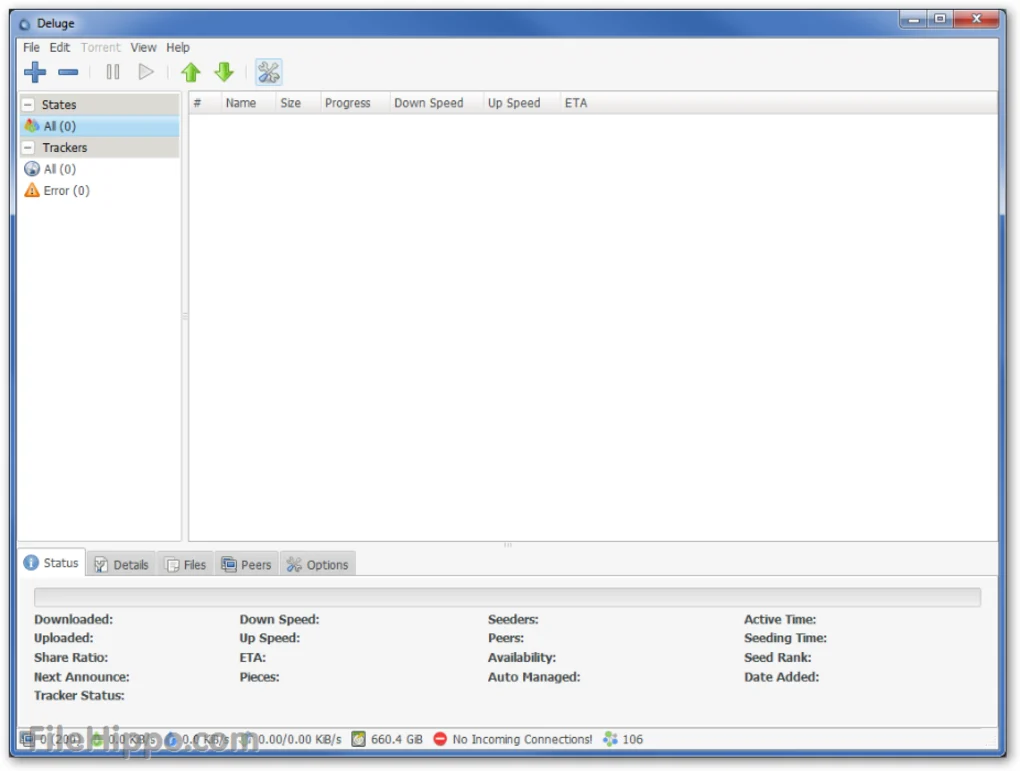
    8. Deluge Handling of all the BitTorrent activities. Enable users to manage applications from the web remotely.

    Lightweight application, so it doesn’t burden system resources.

    Deluge provides users with advanced encryption options to prevent them. 

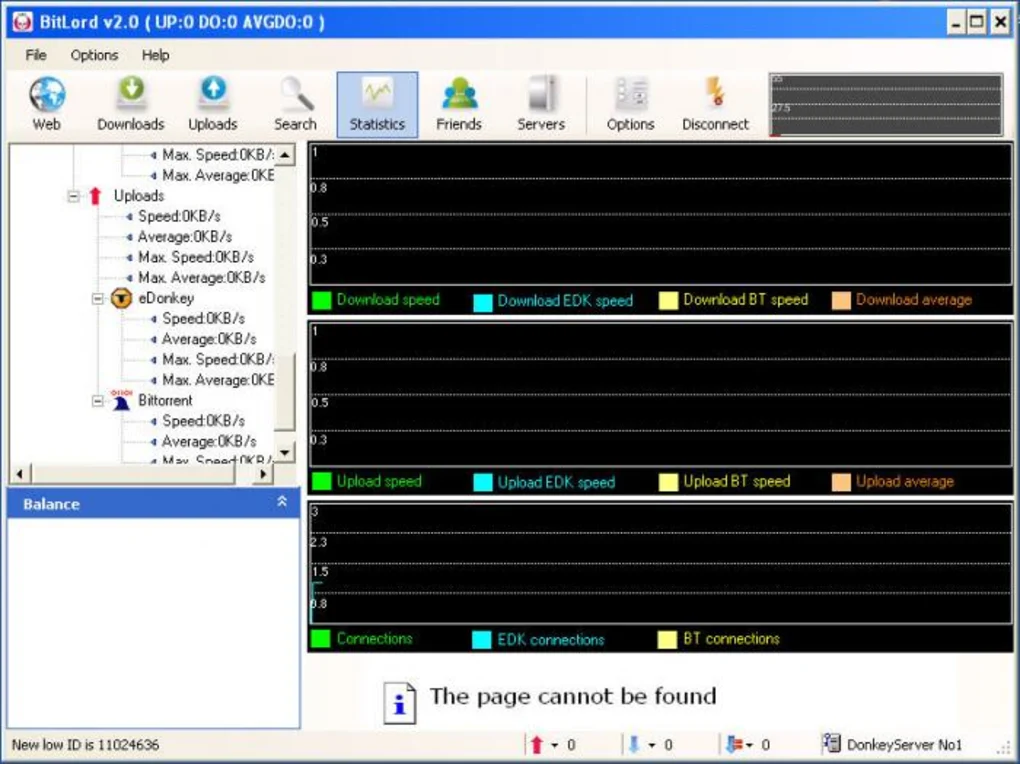
    9. BitLord Placing all the downloaded files in perfect order. Collect torrents from all over the web.

    Prevent your system from malicious activities while downloading or uploading torrent files.

    Randomly picked port if selected port is not available.

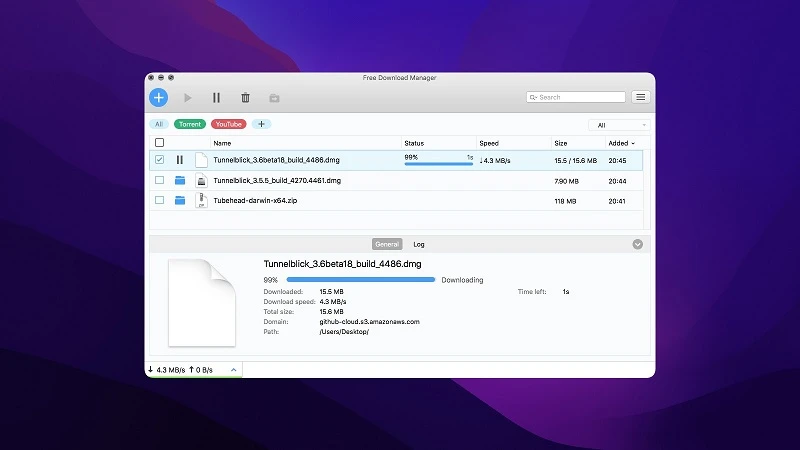
    10. Free Download Manager Splitting files into several parts while downloading them to speed up the process. Its vast add-ons allow users to download files from any arbitrary site.

    Support video downloading from popular video streaming sites like YouTube.HTTP/HTTPS/FTP support.

    11. FrostWire Searching and downloading files directly from the BitTorrent network. Ability to play files while downloading.

    Users can easily download their preferred files or a torrent package with just one click.

    Users can browse and play all the media files in one place.

    12. BitComet Smart disk cleaning Long-term seeding technology to improve downloading.

    Highly customizable.

    Support anonymous downloads.

    1. Folx – Best torrent client for Mac overall
    torrent clients for mac

    Operating System: Mac OS X, Mac OS Classic

    Developer: Eltima Software

    License: Free

    Available Languages: English, German, French, and Spanish.

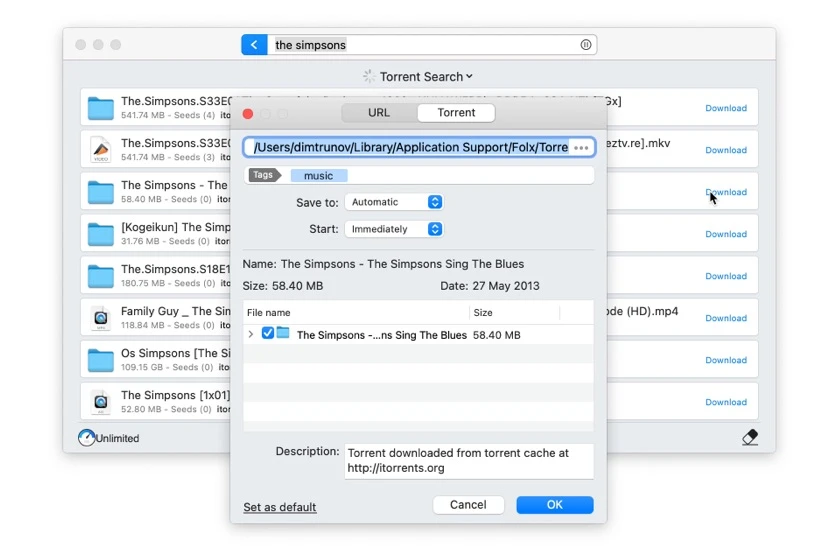
    Folx is arguably the best torrent client compatible with the latest Mac version. With Folx, users can easily download torrent files, specify download and upload speed, and set priority. Above all, it lets the users find downloaded content.

    Let’s quickly look at its key features:

    • It is compatible with all the leading web browsers like Opera, Firefox, and Safari.
    • It supports multi-threading, so the users can divide the download into 20 threads.
    • Since multiple connections emanate from the same server, users will experience an incredibly faster downloading speed.
    • With its smart speed control, users can adjust download or upload speed.

    Final Thoughts

    Folx is the best torrent client for Mac and the preferred choice for users. Its in-built search function allows the users to search the desired torrent files in the app. The utility is fully compatible with the latest Mac versions, but users must migrate to its Pro edition to unleash its advanced features.

    2. qBitTorrent – free and authentic BitTorrent client for Mac

    torrent clients for Mac

    Supported OS: Mac, Linux, and Windows.

    License: Free

    Developer: qBittorrent Project

    Unlike other well-known torrent clients, qBitTorrent is free from ads and spyware. By allowing users to download their favorite music, TV shows, and videos with no unnecessary add-ons, this torrent client for Mac saves users considerable time and money while downloading.

     qBitTorrent brings to the table these great features:

    • Intuitive user interface.
    • Supports different BitTorrent extensions like encrypted connections, distributed hash table, peer exchange protocol (PEX), private torrents, and many more.
    •  Lightweight application.

    Final Thoughts

    qBitTorrent intuitive interface makes it the best torrent client for Mac users. It is 100% free, easy to use, and packed with a host of great features. Although it is considered safe to use, it is vulnerable to viruses and bugs because it is an open-source utility.

    3. uTorrent – Best proprietary adware BitTorrent client

    torrent clients for Mac

    Supported OS: Windows, Mac, and Linux

    Developer: BitTorrent Inc.

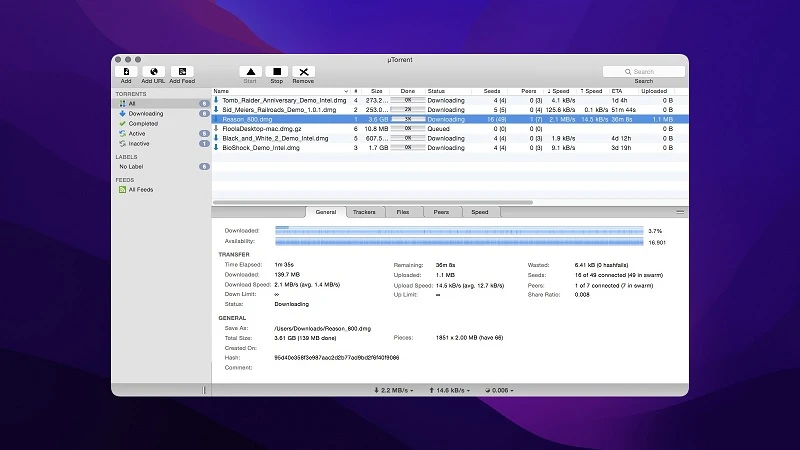
    uTorrent is a lightweight application and is the leading BitTorrent client. It is the preferred choice for Mac users to download music, TV shows, and copyright-free software. This P2P file-sharing platform is easy to use, free, and efficient. 

    Here are some additional features of uTorrent:

    • It supports batch processing; therefore, users can download multiple files simultaneously.
    • Users are not required to acquire specific technical skills to navigate this application.
    • Equipped with plenty of configuration settings to delight tech-savvy users.
    • Quick installation process.

    Final Thoughts

    uTorrent has garnered substantial industry acclaim since its inception due to its complete interface and host of useful features. You can choose the free option or upgrade to the paid subscription if you don’t want to view irritating apps. However, don’t forget to use VPN to protect your downloaded files.

    4.   WebTorrent Desktop – The best streaming torrent client for Mac

    torrent clients for Mac

    Supported OS: Mac, Windows, and Linux.

    Developer: WebTorrent

    License: MIT

    WebTorrent is an exceptional Mac torrent client. It doesn’t only allow users to download torrent files but also stream files like movies and audiobooks. As a result, users can access the files without downloading them. Moreover, the torrent client is easy to use and seamlessly integrated into the Mac OS environment.

    Let’s look at the impressive features of WebTorrent Desktop:

    • It connects the users to Transmission or uTorrent peers.
    • Lightweight and fast torrent client.
    • Open-source and free to use.
    • Its drag-and-drop features allow users to add new torrent files easily.

    Final Thoughts

    WebTorrent Desktop has a simple and easy-to-use interface. Since the utility requires a minimum setting, it is not difficult for even novice users to navigate the software. Above all, no browser plugin, extension, or installation is required to embrace this fantastic software.

    5. Transmission – Tree and easy-to-use BitTorrent client 

    torrent clients for Mac

    Supported OS: Windows, Mac, and Linux OS.

    License: Free

    Developer: Transmission Project

    Transmission is a fast and less resource-intensive torrent client that can easily identify local systems connected to the users’ system. With Transmission, users can embrace a host of excelelnt features like web-like interface peer exchange and integration with an existing OS. Transmission seamlessly works on the latest Mac OS, but few users have reported bugs.

    Let’s look at Transmission’s key features:

    • Faster and extremely lightweight application.
    • It lets the users configure some advanced settings like blocking bad peers and watching directories with just a few clicks.
    • Its simple and sleek interface emulates the Apple UI standards while embracing native features.
    • Open-source and privacy-focused app.

    Final Thoughts

    Transmission is a free, open-source, and volunteer-based project. With the free version, users can use almost all of its features. It best suits users who don’t want their activities to be tracked.

    6. BitTorrent – The most trusted torrent downloader

    torrent clients for Mac

    Supported OS: Windows, Mac, and Linux.

    Developer: Rainberry, Inc

    License: Free

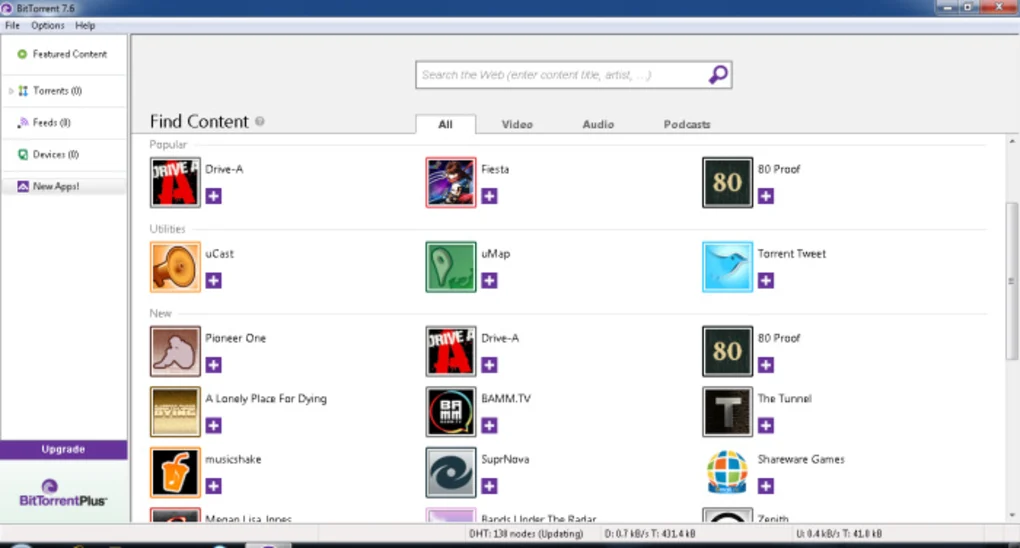
    BitTorrent is an official client for Mac and offers plenty of great features. It is 100% free, consumes fewer system resources, and downloads at the normal speed. Users can stream torrent files from the app without actually downloading them into their system.

    Other key features include:

    • Allows users to download multiple files at the same time. Thereby saving considerable time for the users.
    • Simple and easy-to-use interface with a built-in media player.
    • Enable users to share gigantic files over the internet.
    • Comes with an in-built VPN to prevent others from eavesdropping on your web surfing.

    Final Thoughts

    BitTorrent is a well-known torrent client and the oldest among all other torrent clients. It comes in three versions: Free, Pro, and Pro+ VPN. With Pro+ VPN, you can stop others from spying on your activities.

    7. Vuze – The easiest and safest torrent downloader

    torrent clients for Mac

    Supported OS: Windows, Android, Mac, and Linux

    Developer: Azureus Software, Inc.

    License: Free

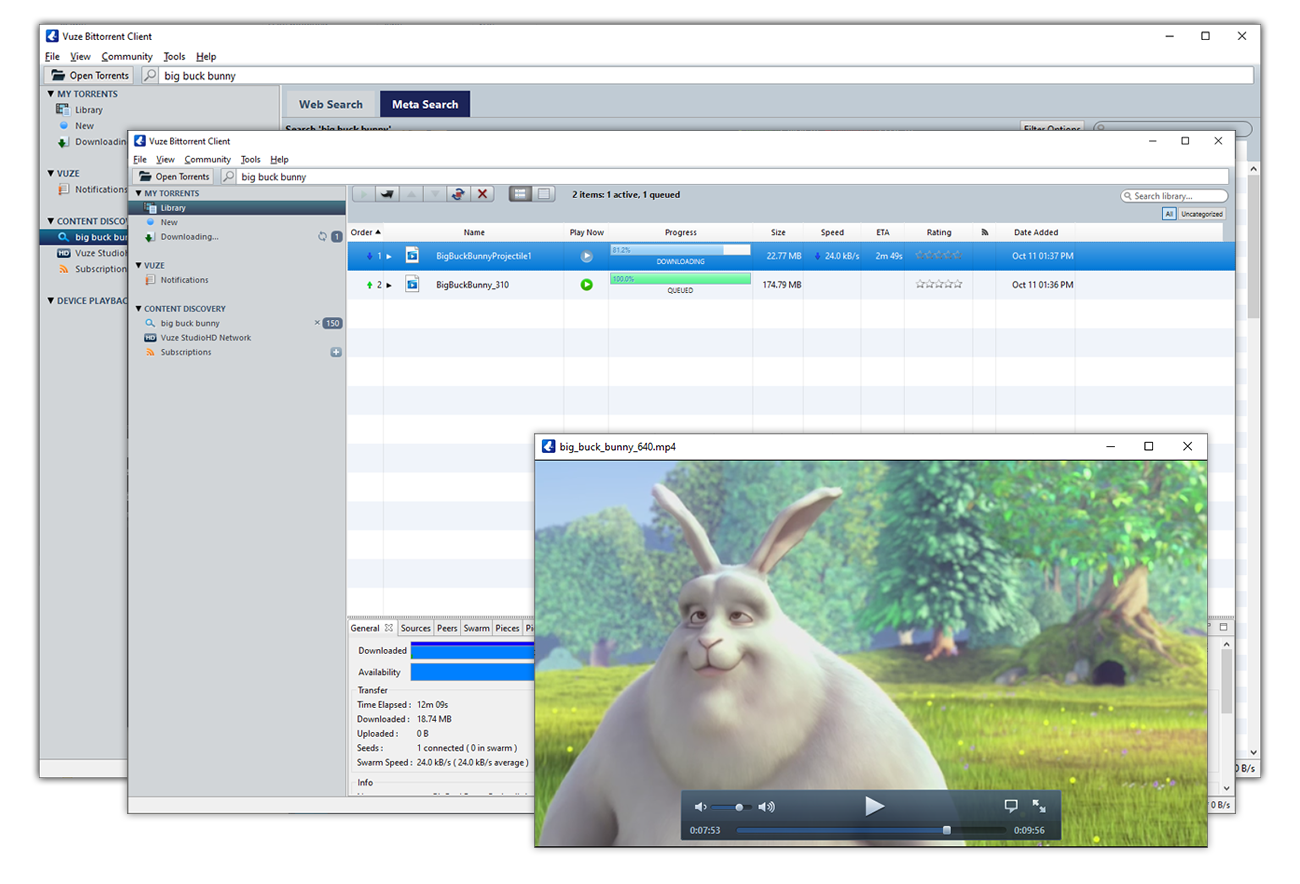
    Vuze is a feature-rich torrent client for Mac that is equipped with in-built torrent search and Web Remote so the users can handle torrent downloads from a remote location. Vuze’s built-in video media player can play downloaded media, add subtitles in different languages, and playback media from a device connected to Mac.

    Before downloading Vuze, you need to know these impressive features:

    • Vuze is a lightweight torrent application so it doesn’t slow down the computer.
    • It allows users to view the status of each BitTorrent download.
    • Allows users to upload original DVDs and HD-quality content.
    • Supports I2P (Invisible Internet Project) to prevent you from government surveillance and online monitoring.

    Final Thoughts

    Vuze is one of the earliest torrent clients for Mac that has been around for almost six years. Although it is completely free, you can avoid irritating ads if you switch to the Pro version. 

    8. Deluge – Lightweight and cross-platform compatible torrent client

    torrent clients for Mac

    Supported OS: Mac, Windows, and Linux

    License: Free

    Developer: Deluge Team

    Deluge is a free and open-source torrent client for Mac that is cross-platform compatible. Since it is built at the top of GTK +, its UI resembles Ubuntu Genome. It’s relatively heavier and more complex software, so the usability might not be ideal. However, it is equipped with myriad plugins that tend to capture the traction of experienced users.

    Here are some of its excellent features:

    • Deluge is packed with many useful plugins that extend its functionality.
    • Incredibly faster performance.
    • As a BitTorrent client, Deluge offers a number of options for addressing the users’ queries like emails and FAQs.
    • Highly customizable.

    Final Thoughts

    Deluge is another well-known torrent client designed specifically for the latest Mac OS. It offers some great features to protect the users’ privacy, like BitTorrent Protocol Encryption and proxy support.

    9. BitLord – The easiest torrent client for downloading and streaming anything

    torrent clients for Mac

    Supported OS: Mac and Windows

    Developer: BitLord

    License: Free

    BitLord is deemed the best torrent client for Mac due to its built-in media player that supports many file types. It best suits users who are just starting and its intuitive search function allow users to find files to download. Above all, while downloading the application, no unwanted software is automatically installed into your system.

    BitLord brings to the table a few great features:

    Its easy search feature lets users find audio, video, text, and other torrents conveniently.

    • Users have the freedom to add subtitles in their preferred language.
    • Enable users to play any video while downloading instantly.
    • Allow users to create playlists of their downloaded audio and video files so they can keep their downloaded torrents in perfect order.

    Final Thoughts

    BitLord’s popularity amongst Mac users can be attributed to its easy-to-use interface and ability to play torrent files before they have been completely downloaded.

    10. Free Download Manager – Powerful yet modern download accelerator

    torrent clients for Mac

    Supported OS:  Mac, Windows, Linux, and Android.

    License: Free

    Developer: Free Download Manager.ORG

    Free Download Manager is a straightforward but powerful app that has significantly reduced the time spent on downloading files, folders, and archives from the internet. It solely depends on the BitTorrent protocol. Its ability to split files into packets and download them separately makes it a perfect competitor to other software. 

    Other important features include:

    • Fast, secure, and supports fast downloading.
    • User-friendly interface with an eye-catching design.
    • Free from adware and malware.

    Final Thoughts 

    Undeniably, Free Download Manager is the best torrent client for Mac, designed specifically for those who want to accelerate their download speed. Despite free software, it offers unprecedented customer support via email tickets.

    11. FrostWire – The best video downloader and torrent client for Mac

    torrent clients for Mac

    Supported OS: Mac, Windows, Linux, and Android.

    Developer: FrostWire LLC

    License: Free

    FrostWire is a free and open-source Mac torrent client with an eye-catching and intuitive interface. It supports different links and files like magnet links, private torrent links, and PEX (peer exchange) to strengthen the BitTorrent file-sharing protocol.

    Let’s look at FrostWire’s crucial features:

    • Connect users to different search engines so they can easily find millions of downloadable files under the creative commons license.
    • Unlike other torrent clients, search results will appear in the app, not in the browser.
    • Enable users to stream files from the cloud ahead of the completion of downloading.

    12. BitComet – Free, super-fast, and easy-to-use BitTorrent download manager

    torrent clients for Mac

    Supported OS: Windows (32 and 64-bit), Linux, and Mac.

    License: Free

    Developer: BitComet

    BitComet concludes our list of the best torrent client for Mac. It is well-known torrent software and enjoys a good reputation because it allows users to download music, movies, and other downloadable content. 

    Before you embrace this torrent software, you need to know these features:

    • It offers fast downloading without affecting system performance.
    • It lets the users prioritize the first and last segments of multimedia files so users can easily preview files before downloading.
    • While using BitComet, users can share torrent files via a P2P network.

    Final Thoughts

    If you are looking for a high-speed and less resource-intensive torrent client, BitComet best suits you. Unlike other torrent software, it lets the users modify default settings using its wide range of customization features.

    Can you get into legal trouble for torrenting?

    Although torrents are deemed illegal in many countries, many countries still legalize torrents and permit users to download copyright-free content. Unfortunately, many popular torrent clients are prohibited in many countries. This is where VPN comes into the picture. Consider using the Express VPN to download any torrent files from your favorite torrent client.

    What is the Safest Torrent program?

    Based on our research and the data available to us, we can say qBitTorrent, FrostWire, and Folx are some of the safest torrent programs.

    Conclusion

    Selecting the best torrent client for Mac is a formidable task. We sincerely hope this article will provide you with insightful knowledge so you can make an informed decision. An ideal torrent software should have proper technical support and a special focus on the privacy and security of users. Make sure to keep these factors in mind while selecting your torrent application.

  • Memory Usage Test to See Which is the Lightest Antivirus Software

    One of the most common things users do to try and keep their computer running as smooth as possible, is keep control over which programs start with Windows. Having just a few memory or processor hungry programs loading into the system tray on boot can have an adverse affect on the performance of your computer. One of the most common applications that will load with Windows and stay resident in the background while the system is on, will be your chosen antivirus software. Have you ever wondered which are the lightest antivirus packages available and which ones don’t do so well on memory usage?

    It’s maybe not such a major issue for newer computers these days having an antivirus which isn’t especially memory efficient because they often come equipped with 4GB or more of RAM. But if your computer isn’t the latest and greatest, using a package which might possibly be eating hundreds of Megabytes of system memory could slow your computer down considerably at inopportune moments. To find out just how much memory gets used by running antivirus software, we’ve decided to gather together a mixture of 25 popular commercial and free antivirus packages to see how they perform.

    How We Tested

    As you might expect, testing an antivirus product for its memory usage is certainly not an exact science because the program is never standing still and nearly always doing something in the background. A problem with taking memory readings is there are several different numbers you can look at.
    (more…)

  • Convert AVI Video Files Into Independant Self Running Executables

    Playing video files in computer can be a headache to some people because it involves video codecs. A video codec is a device or software that enables video compression and/or decompression for digital video. When a video file is being compressed with DivX, you’ll need to have DivX codec installed in order to watch the video. Most of the time we don’t know what is the compression being used to compress the video file, so we install codec packs to support playing all video files. There are tons of video codec packs that you can find on the Internet such as K-Lite Codec Pack, Combined Community Codec Pack, Nimo Codec Pack, XP Codec Pack, Windows Essentials Codec Pack, and many more!

    When codec pack works, then it works. But if it doesn’t, you are going to go through a lot of trouble trying to cleanup the old installed codec to reinstall a different codec pack or a newer version codec. If you need show video presentation to your client, don’t risk your business by trying to mess around with video codecs.

    A better way would be to convert the video file into a independent self running executable file which don’t require installation of any codecs or media players to play the video.

  • No Audio Sound When Playing MKV on WD TV Player

    One of my best investment is the WD TV HD Media Player generation 1 (model:WDAVN00). Although it is an old model, I find it very useful as it can support playing many downloaded video files from the Internet. Most of the movies or TV series that can be downloaded on the Internet are in AVI format and WDTV plays it flawlessly. I no longer need to burn the downloaded AVI video file to DVD to watch it on TV. Recently I downloaded a video that is in MKV format and I was glad that WDTV is able to play it but somehow there is no sound.

    I tried playing an AVI video file and there is sound which means the WD TV player is working fine. One thing I noticed, is that when the MKV video is being played, the TV screen shows “Chinese 1(Digital)” because it’s a Chinese movie. When AVI video being played, it shows “Audio Channel 1″. All this while I have been using RCA connector cable which consist of 3 cables (yellow for video, white and red for audio) to connect from WD TV to the amplifier. After more researching, I found out that I need another cable in order to have sound when playing MKV file on WD TV.

  • Review and Download Free Microsoft Security Essentials for Windows

    Whenever all these giant companies comes out with something new, you can find it written all over the Internet. Remember Bing, the new search engine by Microsoft? Well me and many others still think Google search results are way better. Then few days ago I heard about the upcoming free antivirus software called Microsoft Security Essentials created by Microsoft that will provide protection from viruses, spyware, rootkits, and trojans for Windows XP, Windows Vista, and Windows 7. As usual, it was posted everywhere and the first thing that came to my mind was is it necessary to create all that hype?
    Download Microsoft Security Essentials
    I personally don’t think that Microsoft Security Essentials will dominate the antivirus market even if it is bundled in future version of Windows. Just like Internet Explorer, it comes in every Windows but my monthly web statistics shows that there are more Firefox users than IE. I am very curious to see how good or bad is the upcoming free antivirus by Microsoft so I left work a little early today (of course with my boss’ approval) to test it out.

  • Browser Defender by ThreatExpert, a SiteAdvisor Alternative

    When you are browsing the web, you may encounter many types of threats such as phishing sites that tries to trick you into revealing your private information such as paypal, online banking and etc. Then there are sites that will install spyware on your computer and then try to trick you into buying their antispyware program. Then there are scripts that is capable to exploit the browser’s vulnerability. According to the latest Netcraft web server survey, there are about 182 million sites and the numbers are growing rapidly. With that amount of sites on the Internet, distinguishing the good websites from the bad is very tricky, even for experienced users. I was tricked into installing a rogueware (Spy Sheriff) once because everything seemed so real!

    Firefox web browser has a built-in security feature where it can block attack sites and web forgeries. It works but in my opinion, it is a little annoying when I want to ignore the warning and continue accessing the “attack site”. As for AVG Link Scanner, it is a total failure because it slows down your internet connection. One of the best is probably McAfee SiteAdvisor, a shareware that cost $19.99 per year where it shields your PC from dangerous Web sites, no matter where they appear.

    If you’re looking for an alternative which is free, you can try Browser Defender toolbar.

  • What’s My Computer Doing? Shows Programs Accessing Hard Disk or CPU

    Windows operating system is actually very complex. If you don’t run any software, it doesn’t mean that Windows is not working. If you don’t believe me, try running Process Monitor and you will see constant reading and writing of files and registry. About two years ago I written an article to find out what program is secretly accessing your hard drive using FileMon (which is now replaced with Process Monitor) and Anvir Task Manager.

    Checking what process are constantly and actively accessing your hard drive and CPU usage is very important to detect suspicious activity or even a badly coded software. If a program is idle or not running, logically it should not be using much resources from your computer. If it does, you should take extra measures to learn more about the process. I have stumbled on a useful tool called What’s My Computer Doing? which shows all programs with details that are accessing your hard disk or using the CPU.

  • Batch Unrar Extract and Recover

    All the while I have been using the excellent JDownloader as my premium account download manager together with the very useful JD Unrar addon to batch extract multiple RAR archives using password list. I find that the more I use JD Unrar to extract password protected RAR files by manually keying in the password, the need to enter password for RAR extraction became lesser now because I have already provided the password before which is auto saved. Most of the time files that are uploaded and shared on a specific website uses the same password. As great as it is, JDownloader portability is limited because it requires Java to run.

    I found another alternative called Unrar Extract and Recover which does the same thing as JD Unrar but it is truly portable and don’t require any dependencies such as Java or .NET Framework.

  • IObit Game Booster Gives Smoother and Better Game Play

    IObit, the company that develops Advanced SystemCare 3 has came up with a new free software called Game Booster. It is designed to help optimize your PC for smoother, more responsive game play in the latest PC games with the touch of a button, Game Booster helps achieve the performance edge previously only available to highly technical enthusiasts. It works by temporarily shutting down background processes, cleaning RAM, and intensifying processor performance with only a single click. You can then bring back the disabled and closed program with a click as well.
    Increase Game Performance with Game Booster
    I am not a serious gamer and the only game that I play is Counter-Strike Source which is not really a power hungry game (meaning I don’t need a powerful computer to play it). I’ve read on some forums and website saying that Game Booster is able to give better FPS so I thought I should give it a try. Even if you’re not a gamer, you can use this tool to disable unnecessary services and running programs so you can run intensive applications.

  • Tool for bulk generate random passwords on multiple user accounts in Active Directory

    Since I know about Active Directory, one of the common questions I heard from others is how to efficiently manage bulk user accounts in Active Directory. A very well known legacy command at the market is ‘CSVDE‘ & ‘LDIFDE‘. These commands basically allow the administrators to insert/modify the user’s properties using a CSV sheet (for CSVDE) & LDIF file (for LDIFDE). This is a very organized method and no doubt, it is a lot easier rather than one by one create/modify the user account’s attributes.

    But there are few challenges to perform accounts management with above commands, one of it is you will need to pre-define the actual Active Directory attribute inside the file, in order to allow Active Directory to insert information into the correct field. For example, First Name, Last Name, etc. Also, you will face another challenge if you would like to generate multiple random passwords on multiple user accounts in Active Directory.

    Here, I would like to introduce one tool, although it is not new, but I found that useful on the internet, it called BulkADUser.


  • Scan your Network using SoftPerfect Network Scanner

    Network scanning is an exercise for identifying active hosts on a network, either for analyzing purpose or security assessment, you may need some tools to help you on performing such exercises. There are lots of network scanning tools out there, some of them are free, some of them are chargeable and some of them are hardware appliance. I will not talk about hardware appliance as that is too expensive for us to use, and it is not practical for a single user usage, unless you are a hacker or trying to setting up a marvelous network environment in your own territory and willing to spend a lot on all these devices.

    After perform network scanning, it is always good to have additional features provided by the tool itself, such as services monitoring, wake on LAN, remote shutdown and etc. Definitely, it will be good if the tool is free of charge.


  • How to Easily Convert RMVB to AVI for Free

    ASTRO is the only Malaysian pay satellite TV service and they have an On Demand package where the latest Hong Kong TVB drama series are being aired every day. My wife loves to watch Cantonese dramas so I’ve subscribe to the Astro On Demand package by paying an additional RM39.95 ($US13) per month. Although there are extra channels for the Astro On Demand, it doesn’t really mean that we can watch the particular episode any time we want. The reason is when the drama series has reached up to 20-30 episodes, around 4 episodes are shared on 1 channel. If we missed the episode that we want watch, we’ll have to wait until the cycle is complete so that the episode that we want to watch will be repeated. The completed drama series also only available for a limited time and will be removed from Astro On Demand channels.

    This is a huge annoyance and I guess that is one of the main reason why people prefer to buy pirated DVDs where they can watch it any time they want. My wife recently missed the last two episodes of “Growing Through Life” because she was busy making sure we have everything for the baby and that drama series has been removed from Astro. I searched around and found that I can download the episode from HDZone but it is in RMVB format and my WD TV (first generation) player cannot support and play RMVB files. I am only left with the option of converting the RMVB file to AVI.


  • Disable and Remove Windows Media Player & Internet Explorer

    I’m aware this trick only works for Windows 7 in every version, but I’ve heard people have some results in Windows XP and Vista in being able to downgrade to Windows Media Player 9, if not an even earlier version by using Revo Uninstaller/Unlocker to delete and uninstall shell programs. It is not common place to be doing this tip, I show it only out of the interest of people that use a third party browser and wish to use it only, with no options for IE. Keep in mind, we are not completely removing them from the kernel, let alone the actual operating system itself, we are removing the executable file that offers the link to them. If you use a different audio/media player and different browser that does not use Internet Explorer as it’s base, such as Apple Safari, Mozilla Firefox, or Opera Software’s Opera browser. If you use IE as a base, you might want to keep it. At the same time, my first tip I showed, how to get ‘Now Playing’ working in Windows Media Player in a different media player, will no longer work. There is also the chance of other breakages as well, but I can’t promise anything, as I’ve noticed nothing else missing when I did this myself.