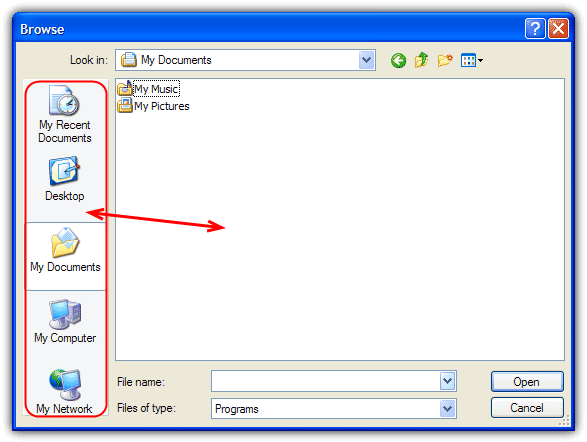
Whenever you open a file from any program or try to save a file using “Save As”, most of the time the default location would be either Desktop or My Documents. I did a little research and found out that it can’t be changed. However, at the left side of the “Save As” dialog, you will see 5 locations which is My Recent Documents, Desktop, My Documents, My Computer and My Network Places that has been preset for you to save.
Those 5 locations are called the “Places Bar” and it is supposed to be a convenient way for you to save it to the preset location. The “Places Bar” concept is a good idea, but not everyone regards those five default locations as the most suitable for their situation.
If you’re working on something that frequently needs to save files to other than one of the preset locations, you can change the default save location, so you don’t need to browse to the location each time you want to save. I will show you how to easily you can change the Windows default Save As or Open Places Bar Locations. This method is only for Windows XP and will not work on Vista and 7. There is another article covering newer Windows operating systems such as Vista and 7 although the tools mentioned do also work with XP.
(more…)